Как бесплатно скачать iTools для Mac OS на русском языке
После установки программы, подключаем айфон через кабель Lightning/USB. Из опыта выполненных прошивок более 1000 айфонов, рекомендуем использовать оригинальный кабель. Как говорят мастера “из коробки”. При подключении возможны два варианта:
- Устройство не определяется ноутбуком, посмотрите материал на тему неисправности телефона по ссылке далее – Неисправность телефона.
- Если всё хорошо и айфон определился, перед нами главное меню. В статье рассматривается клиентский iPhone 7, imei и серийный номер заретуширован в Фотошоп.
Подключая телефон впервые необходимо ввести пароль от экрана и нажать на “Доверять этому устройству”, для того чтобы 3uTools определил подключаемое устройство. При последующих подключениях, определение происходит автоматически.
Как запустить iTools?
Устанавливать программу нет необходимости. Для того чтобы начать пользоваться, нужно и распаковать архив. В папке iTools 3.x.x.x (где x — номер сборки программы) запустить файл «iTools.exe». Теперь подключаете ваш телефон к компьютеру и пользуетесь лучшим аналогом iTunes.

У кого не подключается iPhone и программа пишет: «Ваше устройство не подключено к компьютеру, пожалуйста подключите устройство по USB». Необходимо установить все драйвера из папки «поддержка ios 10». Когда система предлагает удалить или исправить, выбираем исправить. Все файлы с расширением .dll кидаем в папку х:\Users\Ваше_Имя\AppData\Roaming\ThinkSky\Driver. Тем, кто ставит через установщик: папка Driver находится в скрытой папке С:\ProgramData\ThinkSky\iTools\Driver.
Обзор программы
Первый экран. На нем размещены:
- Главное меню.
- Боковое меню.
- Кнопка с информацией об аккумуляторной батарее.
- Кнопка “Отчет подтверждения”.
- Блок с кнопками для управления устройством (можно выключить телефон).
- Кнопка “Закрыть iTunes”. Закрывает открытую программу iTunes.
- Кнопка “Инструменты”.

3uTools начальная страница
Состояние батареи
Нажав эту кнопку открывается следующее информационное окно.

Информация о состоянии батареи
В этом разделе для нас будет информативным:
- Количество раз зарядки АКБ. Можно понять, батарейка находящаяся по факту в телефоне установлена на заводе или была заменена.
- Состояние батареи. Предупреждает о необходимости замены АКБ. Если менее 80%, аккумуляторную батарею рекомендуется заменить.
Отчет подтверждения
При нажатии на кнопку “Показать отчет подтверждения”, открывается следующий отчет:

Информация о телефоне
В столбце Test Result, компоненты замены которых не было, обозначены надписью Normal, зеленого цвета. Тест осуществляется на основании сравнения серийных номеров
Если же была замена, то программа выделит красным цветом и сделает соответствующую запись. В моем случае, была заменена батарея. Если Вы сравните серийные номера в столбцах Ex-factory Value и Read Value, то они разные.
Инструменты
Нажимая на кнопку “Инструменты” открывается следующее окно:

- Резерв./Восстан.
- Прошивка.
- В режим восстан.
- Перезагрузить. Здесь всё понятно.Перезагружает телефон или планшет.
- Выключить. Позволяет выключать устройство не используя кнопку Power. Это удобно, когда прошиваете только материнскую плату, с отключенным шлейфом кнопки включения.
- Не обновлять iOS. Устанавливается запрет на обновление версии прошивки.
- Удобный доступ. Выводит или убирает с экрана AssistiveTouch.
- Обновить. Всегда старайтесь обновлять версию 3uTools до последней, актуальной. Хотя среди некоторых мастеров и бытует мнение, что лучше не обновлять. Это не так.


Как самостоятельно прошить телефон
Для того чтобы прошить устройство самостоятельно, необходимо следовать простой инструкции:
- Обновить 3uTools.
- Подключить смартфон или планшет по USB кабелю к ноутбуку.
- Сделать резервную копию данных, в iCloud или на ПК.
- Нажать на кнопку “Прошивка и JB”, затем выбрать необходимую версию прошивки и нажать кнопку “Прошивка”. Примерно через 3 – 5 минут ваш телефон прошьется и перезагрузится.
- Активировать телефон.
Рекомендованный материал в блоге Bgacenter на тему прошивок айфон по ссылке далее – Как прошить айфон.
Если при обновлении (режим Recovery), программа выдает ошибку, возможно недостаточно объема памяти телефона (NAND Flash). И в этом случае единственный вариант – прошить в режиме dfu, с полной потерей данных. DFU – это режим восстановления (Device Firmware Update) актуальной версии iOS подписываемой на серверах Apple.
Один из вариантов, как ввести телефон в режим восстановления (не нажимая кнопок), подключить к компьютеру через кабель MAGIC.
Прошивка и JB
Диалоговое окно “Прошивка” содержит дополнительные возможности. Вот некоторые из них:
- Позволяет загрузить версию прошивки, начать прошивать устройство, восстановить из резервной копии.

- Множественная прошивка. Используя эту опцию можно прошивать несколько устройств одновременно. В Bgacenter большой объем выполняемых ремонтов, и мы часто пользуемся этим разделом.

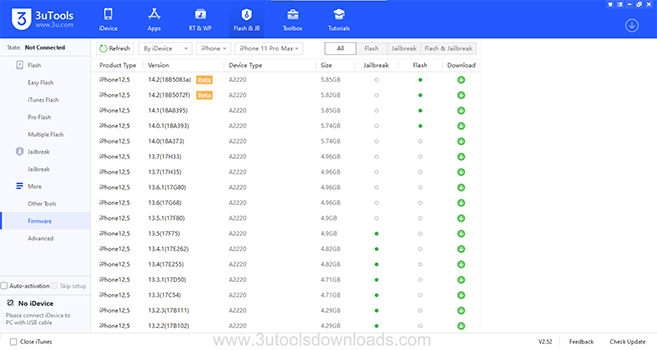
- Прошивки. Это раздел программы для скачивания разных версий прошивок, доступных для определенной модели устройства.

Доступные версии прошивок
Работа с iTools для айфон
После того, как программа tools для iphone 5s или других версий скачан и установлен, самое время приступать к его освоению. Подключайте мобильный девайс и начинайте пользоваться удобными инструментами iTools.
Независимо от того, на какое устройство установлена программа (iTools на 4 айфон или айпад) функционал iTools остается простым и удобным в пользовании.
Скачивание фото на iPhone и ipad

Подключая айфон или айпад к ПК впервые, на экране появится кнопка «Доверять» — нажмите ее. Кликните вкладку «Фото» в верхней панели открытого окна. На панели в левой части понадобится нажать «Новый альбом».
В результате несложных действий создается новый альбом, куда помещаются выбранные фото. Откройте альбом, после чего нажмите кнопку «Импорт». Каждый выбранный фотоснимок загружен на гаджет и обозначен в качестве фото с моего компьютера.
Скачивание документов в формате PDF
Для того чтобы работать с документами в этом формате, понадобится программа Adobe Acrobat Reader. Если у вас нет программы на телефоне, потребуется скачать ее с официального сайта Apple. Скачайте iTools на айфон, а затем подключите его к компьютеру.
В меню сверху расположена кнопка «Application», которую нужно нажать. Выберите приложения вашего устройства из левого ряда. Нажмите «File Share» и откройте файл для пользования.
Скачивание музыки

Откройте вкладку «Музыка» (верху), при этом нажмите также такой же пункт слева. Нажмите «Импорт», отметьте в открывшемся окне то, что необходимо перебросить (отдельные файлы или всю папку с музыкой). Подтвердите действие нажатием кнопки «ОК».
3uTools ошибки
Коды часто встречающихся при ремонтах ошибок:
- 11% ERROR: Unable to switch DFU Mode to Recovery Mode. Невозможно переключить режим DFU в режим восстановления.
- 20%. Чаще всего это неисправность памяти телефона. Как вариант большое количество bad block. В этом случае необходимо память заменить используя программатор. Рекомендованный материал в блоге Bgacenter на тему замены памяти по ссылке далее – Айфон 8 не включается.
- 80% ERROR: Unable to restore device (-1). Не удается восстановить устройство. Довольно часто программа выдает ошибку на восьмидесяти процентах при неисправном Baseband. Рекомендованная статья на тему ремонта сети – Айфон 7 нет сети.
Преимущества 3uTools
Программа имеет следующие преимущества (среди похожих софтов: iTunes, i4Tools, Test & Check for iPhone (устанавливается из App Store), iTools, Tongbu, PPHelper):
- Самый важный плюс программы, это возможность прошивать все устройства iOS. И ещё одна особенность, 3uTools может докачать прошивку, после временного отсутствия интернета. В iTunes такая возможность не предусмотрена. Актуально при скачивании ПО например на iPhone SE (2020), которая весит 3,83 Gb, и не очень высокой скорости загрузки.
- Абсолютно бесплатная.
- Для работы не требуется регистрация. Нужен лишь код пароль от экрана или сохраненный отпечаток пальца, для разблокировки устройства.
- Быстрая установка.
- На русском языке, с 2020 года.
- Перенос файлов на компьютер, особенно видео в высоком качестве, быстро и просто.
- Есть возможность сделать полный дамп прошивки, для этого необходимо знать учетную запись и пароль от iCloud.
- Осуществляется поддержка от разработчика по email.
- Возможность запретить обновление устройства.
- Удобный и понятный интерфейс.
- Разработан для операционной системы Windows.
- Если плата менялась, с перекидкой микросхем, то 3uTools этого не покажет. В этом случае нельзя доверять на 100% при проверке. Рекомендованный материал в блоге Bgacenter по ссылке далее – iPhone 7 замена платы.
- больше не нашел


Установка iTools на iOS 9
Видео: работа с программой на операционной системе iOS.
Для максимального удобства использования утилиты можно скачать установочные файлы на русском языке, либо воспользоваться специальными русификаторами. Официально разработчики не предусмотрели поддержки русского языка программой iTools, поэтому энтузиасты самостоятельно разработали технологичные продукты ее русификации.
Установите программу, скачав её по кнопкам выше. Она будет работать на следующих версиях iOS:
3uTools for Mac
3uTools download is one of the newest version brought out free to the iphone, ipod and ipad users which is 100% freeware. 3uTools for Mac is a free software that assists ios users in managing their ios device with the help of their computers. This app helps users to manage their data by backing up and managing all the apps, files ,media files documents and contacts in your iphone, ipod ,ipad and all the other ios devices. This tool also comes with one other feature of installing and uninstalling apps. This tool can easily backup all your apps and other data within a very short period of time so that you don’t need to waste time waiting for backups and managing of your idevices. Other than that , this tool consists of a jailbreak feature which helps you to install apps other than the apps that are found in the itunes app store to your apple devices , by avoiding the apple’s limitations.
This app comes with three ways for the jailbreak feature of your ipod ,iphone and ipad. The easy flash jailbreak method allows the users to download firmware to their devices even without an apple account. The flash jailbreak method supports the users to download firmware that are not supported by Apple. The third option to jailbreak is the Pro flash method that enables custom firmware to the ios devices. The jailbreak feature is activated even though you are in the normal, recovery or DFU mode. One other benefit is that the users can use this app to reset their ios device if they are having troubles with locked icloud thus this app helps in disabling the icloud activation lock. Other than the jailbreaking function some more features like SHSH backup, upgrade and downgrade features are also brought out through this app.
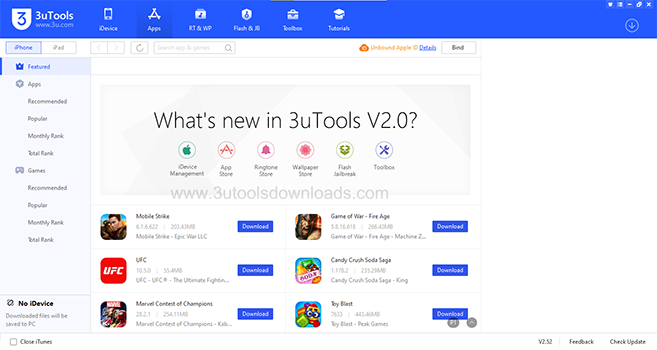
Other than backing up your important data, 3uTools also functions as an ios data management software where it enables iphone ,ipod and ipad users to manage files and also allows them to download ios applications, wallpapers and also ringtones with the online features available in this app. Furthermore among other features photographs, videos are also enabled to be managed and to be converted and also this version comes with the ability to modify your audios. Moreover it allows you to see your iphones contact book , call records and to send text messages from Mac via Itools for Mac.
To Install 3uTools mac os feature visit the 3utools website and click the download button to download the latest version of 3u tool for mac where you will be asked permission to run the file and by allowing it the 3utool mac feature will be installed. After installing, connect one of your idevices to your mac computer with the help of the USB cable and by clicking launch you can use the 3uTools for mac free download feature free and easily. Now all your files and documents in your ios device could be managed and backed up using this tool.
3UTools Download
You can download latest 3uTools here. 100% Malware Free!
How Do I Install 3uTools for My MacBook Pro?

Its very easy to install 3utools for macbook , you have to download the 3utools for mac os software from the 3uTools website where you find the 3utools download for mac. Click on that 3utools mac download feature and then it will be installed in to your mac book Pro. After connecting your apple device to your macbook with the USB all the information will be visible regarding the 3utools feature on your Macbook Pro. Enjoy working with your efficient ios device by using the newest features of the 3uTools by installing it with just a very few and easy steps.
3uTools For Mac
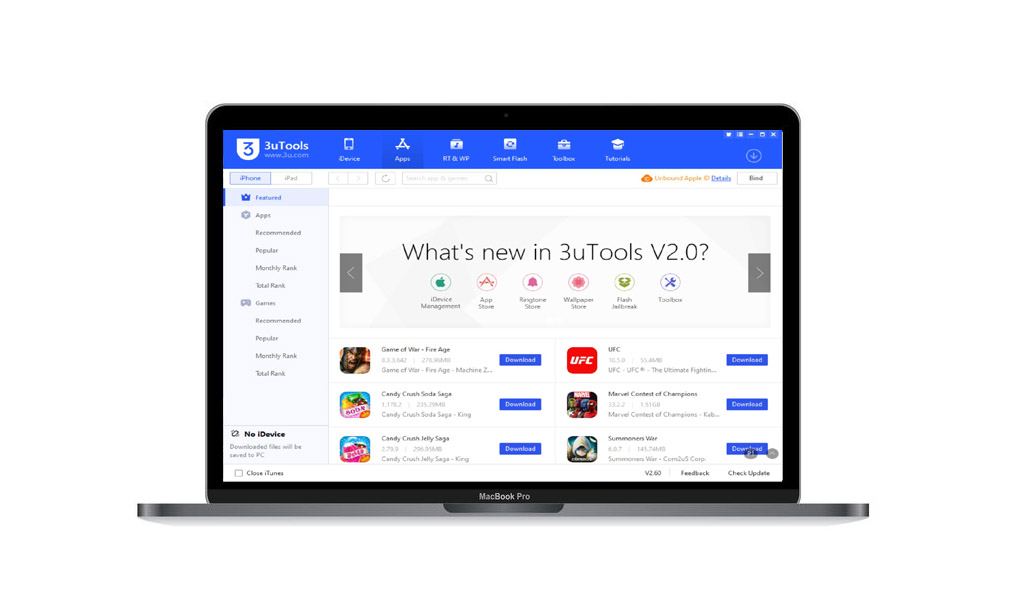
3uTools is actually wonderful app based on PC devices to manage your iDevice from it. No license required, no revoke issues as well as frequent updates for free. If you want to manage your iPhone, iPad perform flashing or jailbreaking, 3uTools for MAC is an excellent software for you. You can perform various operations with it.
3uTools will also enhance your skills and knowledge in managing your device. You can try for 3uTools App Store with your Mac devices. It is an amazing free iOS helper for Mac users. With installing 3uTools for Mac, users can manage their iDevices from the help of that company.
3uTools for Mac will help you to manage your iPhone/iPad with providing many jailbreaking tools for free. If you are a Mac user, visit our official website 3utools.online to find out the easiest way to download the latest 3uTools for Mac version.
3uTools Download for Mac PC
Table of Contents

Latest 3uTools For Mac Features
- Make anything with your iDevices without Apple’s software restrictions.
- Consist of many jaibreaking tools including latest Unc0ver jailbreaking tool versions.
- Can jailbreak iDevices within a single click.
- Work same as iTunes app.
- Include SHSH backup, baseband upgrade.
- Stop iOS updating.
- Don’t need to pay for 3uTools store or its any applications.
- Offers fully info about your iOS device such as, Activation, Jailbreak statuses, battery statuses, iCloud lock statuses, Detailed iOS & iDevice information, Serial no, Product no, IMEI and more..
- Manage your iDevice with ToolBox option.
- Drag and arrange icons through the app. Just like iTunes desktop option.
- Allows you to browse into the File system of the device.
- System cleanup, Restart, Shutdown, Error logs, Crash logs and many more features available.
3uTools Compatibility and Requirements For Mac
As a Mac user, if you have the basic requirements which are mentioned below then you can use 3u Tools for your device.
- Mac OS X Kodiak, 10.0 (Cheetah), 10.1 (Puma), 10.2 (Jaguar), 10.3 (Panther), 10.4 (Tiger), 10.5 (Leopard), 10.6 (Snow Leopard)
- OS X 10.7 (Lion), 10.8 (Mountain Lion), 10.9 (Mavericks), 10.10 (Yosemite), 10.11 (El Capitan)
- macOS 10.12 (Sierra), 10.13 (High Sierra), 10.14 (Mojave), 10.15 (Catalina), 11.0 (Big Sur), 12.0 (Monterey) and Later Version.
- Supported Hardware: Intel or Apple Chip (M1) or PowerPC Mac.
3uTools Other Compatibilities
3uTools is compatible with following Windows operating systems which are consist of 4GB RAM at least.
Windows XP, Windows 2003, Windows Vista, Windows 7, Windows 8, Windows 8.1, Windows 10, Windows 11
How To Download 3uTools For Mac
- You can download 3uTools For MAC free from our official website 3utools.online.
- Visit above website from your Mac Device and get the direct download link from there.
- You’ll need to be connected to the Internet to use the 3uTools application.
- But still there is no version released for compatible with the AppleTV and other models.
- 3uTools is also cannot be install for the mobile devices iPhone, iPad Touch.
- It is a PC based application, after downloading & installing into a Windows or Mac you can use 3uTools for iDevices.
How To Use 3uTools For Mac
- After downloading 3u Tools for Mac from 3utools.online connect your iPhone/ iPad to Mac devices by using USB cable.
- The software is compatible with the latest MAC OS and it requires a Wi-Fi connection.
- Once your device successfully connected with Mac, your device info can be seen from 3u Tools display.
- You can apply all you needed with a single click.
- 3u Tools For MAC is easy to use and does not require a lot of technical expertise.
- MAC users who can use a windows application on their MAC through 3u Tools.
- If you’re not comfortable using the program on your PC, you can always uninstall it.
- If you’re a MAC user, 3u Tools is a professional software for managing your iOS devices.
Update your iPhone, iPad, or iPod, via 3uTools. First you should install 3u Tools for your Mac device. The program is very easy to use and has many useful features. However, it is important to check if it is compatible with your current MAC operating system. It is also able to transfer files from Mac OS to iOS, so you can transfer any data to your iOS device.
3uTools For Mac FAQs
Is 3uTools available for iOS?
Yes, it is available for ios, but not to install for iDevices. 3uTools is a free tool that lets you manage files on your iOS device through your computer.
Is 3uTools available for Mac?
Yes, 3u Tools is available to download & install for Mac. If you’re not interested on 3u Tools for Mac, then use 3uTools alternatives for Mac.
How many MB is used to download 3uTools For Mac?
It will change from where you download it or due to download version. If you download 3uTools latest Mac V2.60 from 3utools.online nearly take 120MB file in size.
How to download 3uTools on Mac?
Open your computer and visit 3utools.online> find out the direct download button there> You’ll see a reminder that “Do you want to run this file?”> Click “Run”> Continue screening guidline> click “Install”.
Is 3uTools free to download for Mac?
Yes. Just a few click you will be able to download 3u Tools free Mac from 3utools.online. 3uTools provides one-click downloads for iOS users with free genuine iOS apps, popular games, free ringtones and HD wallpapers and much more features.
Can jailbreak iDevices with 3uTools for Mac?
Absolutely, if you want to jailbreak iPhone or iPad devices, you can use the “Jailbreak” function of 3uTools to jailbreak your iDevices quickly and easily.
Is it safe to download 3uTools Mac for free?
Yes, 3uTools for Mac is one of the safest third-party app store for Mac devices. Developers implement a variety of security measures to maintain the safety of user’s personal information when they use 3uTools. And doesn’t contain any malware or virus with it.
What can do with 3uTools Mac for iPhone/ iPad Touch devices?
3uTools is an all-in-one tool for all iOS devices and anything you wish to do, can do via 3uTools. For more info, visit our official website 3utools.online.
Does 3uTools work with Android?
No, still not released 3uTools Android version because for Android devices there’s no specific hardware standard the manufacturers have to follow.
3uTools Versions History
As the latest version of 3uTools V2.60 is now currently available. It released fixing some bugs and adding new USB cable mirroring for 3uAirPlayer. This latest version also added the iPhone SE 3, iPad Air 5 and other new devices as well. Check out below previous versions and their improved features step by step if you’re interested on it.
3uTools V2.59, V2.58, V2.57, V2.56, V2.55, V2.53, V2.52, V2.51, V2.50, V2.39, V2.38, V2.37, V2.36, V2.35, V2.33, V2.32, V2.31, V2.30, V2.29, V2.27, V2.25, V2.23, V2.22, V2.21, V2.20, V2.19, V2.18, V2.17, V2.16, V2.15, V2.13, V2.12, V2.11, V2.10, V2.09, V2.08, V2.07, V2.06, V2.05, V2.03, V2.02, V2.01, V2.0, V1.13, V1.12, V1.11, V1.10, V1.09, V1.08, V1.07, V1.06, V1.05, V1.03, V1.02, V1.01
Conclusion : 3uTools Is The Best iOS Customizing Tool Forever
Visit our official website 3utools.online for more info about 3u tools for Mac availability and get more idea by reading our tutorial guidelines as well as direct downloading the latest 3uTools versions. There are many applications available in the Apple iOS world, but cannot compare with 3uTools due to its marvellous service.
3uTools is a powerful tool which can change your iOS device as much as you wish. You can also try 3uTools Alternatives such as iTunes, vShare, Tutuapp, TweakBox, Panda Helper…etc. 3uTools & its alternatives can manage files, backup and restore your iOS device, support flash & jailbreak functions, clean up junk files, make ringtones, convert video formats, download apps / wallpapers / ringtones and many more things.
3uTools is an all in one tool based on Mac & Windows PC for iPhone, iPad or iPod devices. Follow our official guidelines step by step provided here to download 3u Tools Windows / Mac platforms.
3uTools for Mac
What kind of device have you been using? A Mac, perhaps? You must enjoy using your macOS. But unfortunately, you find it annoying that there isn’t the best free iOS manager, 3uTools for Mac.
Don’t worry, a lot of MAC users share your sentiments. Even if you can feel left out, smile since you are presently in the right place. We’re going to teach you how to utilize 3uTools on macOS today. But before starting anything, let’s get to know this useful app 3uTools on Mac.
Table of Contents
What is 3uTools for Mac?
On your PC or laptop, you can manage your iOS/iPadOS device using the free and complete software application, 3uTools. This is the ideal application for those that own an Apple device, and wish to have complete control over their iPhone/iPad via their desktop or laptop.
With 3uTools on Mac, you can manage all your iOS devices from one hub, and give you access to many exciting benefits that you will not find in any other application. To make things better, it is not complicated to use. In fact, the tool is very simple, easy to use and, the beauty of it all, is that it is completely free.
Download 3uTools for macOS
As you may already know, 3uTools works only on Windows machines, and there is still no official version of 3uTools available that is compatible with mac Operating System.
Even though it is considered the best iOS manager, 3uTools cannot be directly downloaded and installed onto a system that runs on a macOS.
Like most problems out there, download and install 3uTools for Mac has a solution. So do not be frustrated if you happen to own a macOS device. We are here to help you.
Therefore, there are a primary route you might take while using the 3uTools on any Mac powered by macOS.

How to Use 3uTools on Mac?
Even though 3uTools could be used on Windows Operating System (any latest version), it unfortunately, cannot be used on a Macintosh Operating System. But, the solution is already there.
So, how to download 3uTools for Mac? The solution is utilizing a virtual machine program to run Windows on a Mac and the use Windows version of 3uTools for macOS users.
You can run Windows on your Mac by installing a Virtual Machine software on Mac. Then, download and install 3uTools for Windows official version on that platform. Now you can use this tool on any Mac as natively without a problem.
How to install 3uTools on Mac with a Virtual Machine?
To utilize 3uTools in this technique, you must first setup a Windows Virtual Machine on Mac. Let’s see the way to download 3uTools for MAC. Steps to follow;
- Download and install the latest version of VirtualBox software on your Mac
- Download the ISO disk image file of Windows 10 or Windows 11
- Open VirtualBox and click “New” icon
- Enter the required details and choose the ISO file which you have downloaded on your Mac
- Follow the onscreen instructions to install Windows 10/11 on Mac with VirtualBox. When the installation completes, you can run Windows 10/11 top of your existing macOS
- Now you are able to install 3uTools on your Mac. Run windows on your Mac, download and install the official latest version of 3uTools for Windows on to your Mac
That’s all about installing 3uTools on a Mac computer by a virtual machine. Everybody loves 3uTools and the lack of availability of this useful app makes the users feel left out for sure. Hope you follow this guideline to install 3uTools on a Mac device. Using different platforms is complicated yes, it is true. But the best part is you get to use your favorite app with these methods.
However, if you feel this method to download 3uTools for Mac is not for you, no worries, there is another great solutions, using a alternative app i4Tools for Mac.
Using 3uTools Alternative
Many iOS users consider 3uTools to be a must-have tool, however, there isn’t an official macOS version available. Fortunately, there is a substitute software called i4Tools available for Mac as well. This is a replica of 3uTools which packed with all the features.
The only drawback of i4Tools is in Chinese Language. You can utilize Google Translate to use the app in English.
Let’s start by downloading the i4tools, the best 3uTools alternative for Mac.