Как воспроизводить музыку в Discord с помощью Rythm Bot и Groovy Bot 2023
Партнерское раскрытие: Полная прозрачность — некоторые ссылки на нашем веб-сайте являются партнерскими ссылками, и если вы используете их для совершения покупки, мы будем получать комиссию без дополнительных затрат для вас (вообще никакой!).
Что, если бы вы могли воспроизводить музыку, которая вам нравится, в Discord? Еще лучше будет весело слушать его вместе с друзьями или создавать классные плейлисты, чтобы поделиться с ними.
Может быть, вы запускаете аниме-сервер Discord и хотите слушать свои любимые песни J-pop в фоновом режиме, или, может быть, вы играете в видеоигры, играя дабстеп во время строительства дома в Minecraft.
Вы можете добиться этого с помощью специальных ботов от третьих лиц — ботов Rythm и Groovy.
Вот чему вы сегодня научитесь: как проигрывать музыку в Discord и как:
- Добавление и воспроизведение музыки с ботами — Rythm и Groovy,
- Основы Discord бота: изучаем команды
- С ботом, Spotify или микрофоном или без них вы можете слушать музыку в Discord.
Предварительные требования: Перед тем, как начать играть музыку
Следующие боты могут быть подключены к серверу Discord только в том случае, если владелец или менеджер имеет разрешение на управление сервером.
Если у вас нет разрешений владельца сервера или у вас нет необходимых разрешений, по-прежнему есть варианты для воспроизведения музыки и предоставления возможности ее прослушивания другим — см. ниже.
Как воспроизводить музыку на Discord с помощью Rythm Bot?
Что такое ритм?
Бот Discord Rythm в настоящее время является одним из самых популярных ботов.
Это приложение отличается высоким качеством звука, стабильностью и простотой использования.
Spotify, YouTube, SoundCloud, Twitch, Vimeo и Bandcamp — некоторые из популярных музыкальных сайтов, с которых бот воспроизводит музыку.
В дополнение к этому, Rythm предлагает услугу Premium, которая предлагает более высокое качество звука, параметры регулировки громкости, звуковые эффекты и мою любимую функцию «всегда воспроизводиться», поэтому вы можете слушать музыку весь день без перерыва.
Сейчас я объясню, как настроить бота.
Как интегрировать Rythm Music Bot в сервер Discord?
- Во-первых, нужно пригласить музыкального бота на наш сервер.
- Вы можете пригласить бота на официальной домашней странице Rythm, нажав кнопку «Пригласить бота».
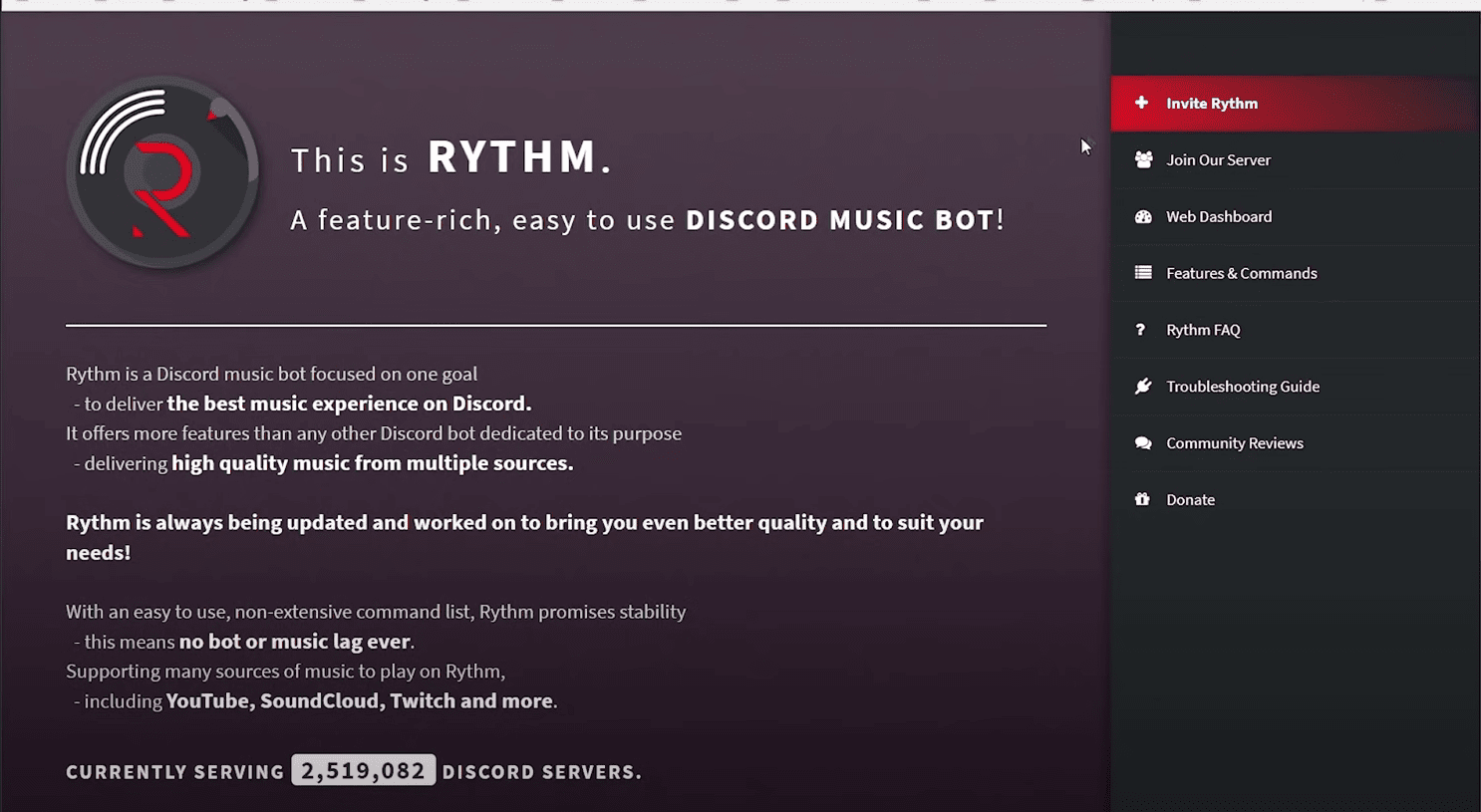
- Если вы еще этого не сделали, войдите в свою учетную запись Discord.
- Если вы вошли в систему, вы увидите экран приветствия.
- Выбор сервера для воспроизведения музыки ботом из раздела «Добавить на сервер».
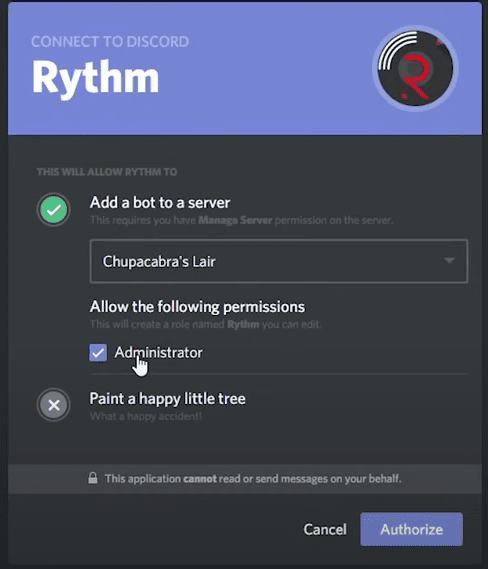
- Затем нажмите «Продолжить».
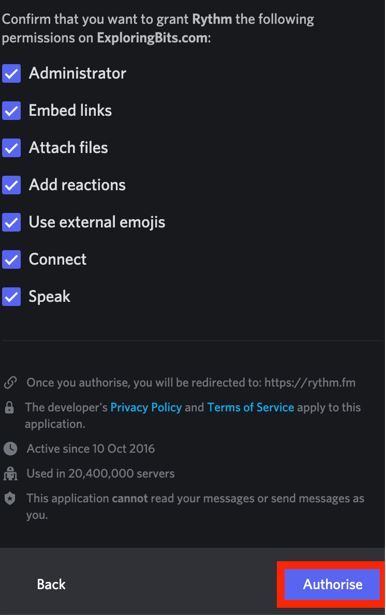
- Просмотрите разрешения, которые вы предоставляете боту, на следующем экране и нажмите «Авторизовать», когда вы будете удовлетворены.
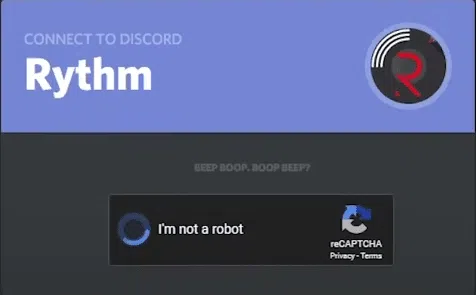
- Если вы видите капчу «Я человек», пропустите ее.
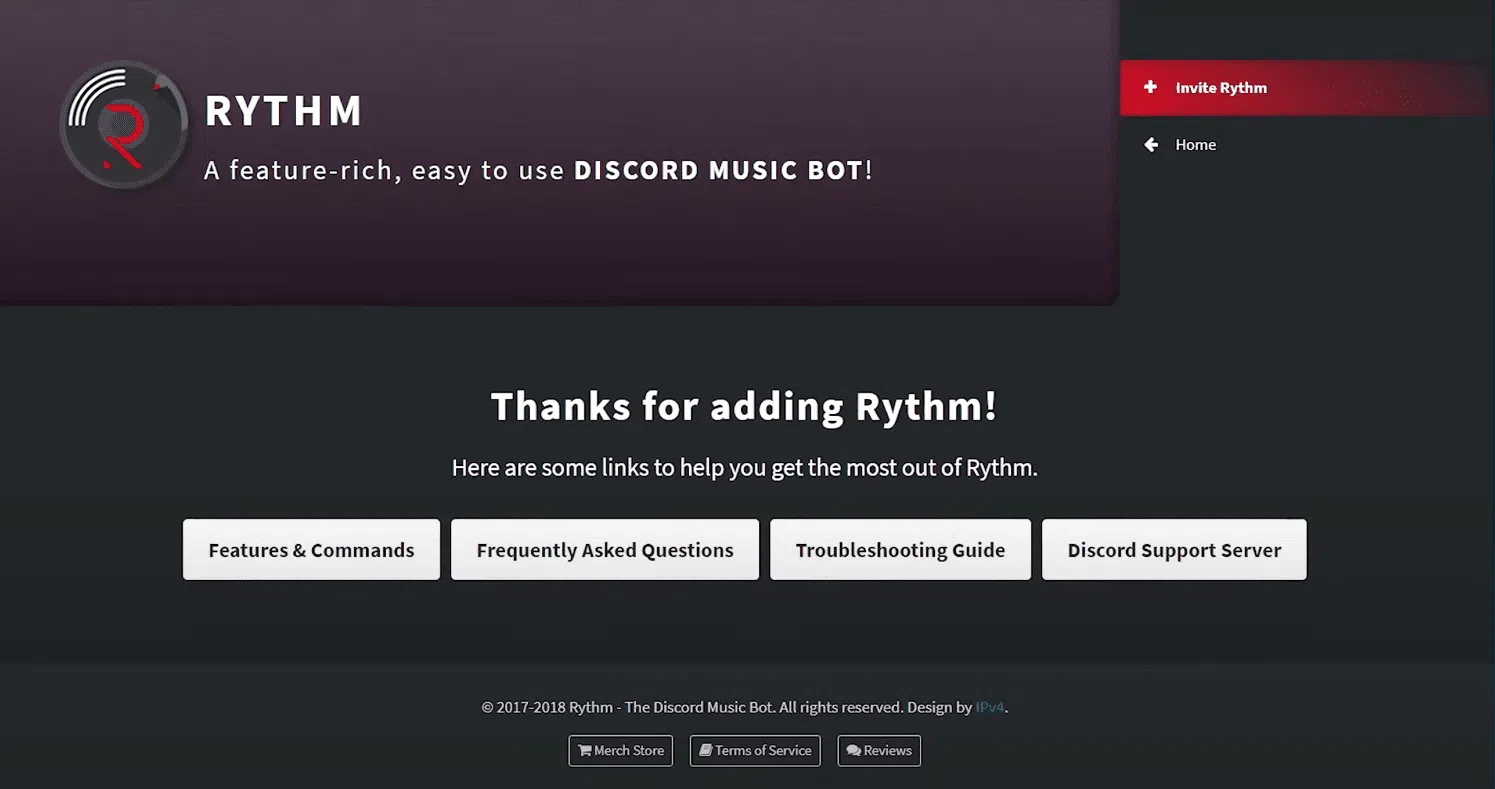
- Если вас перенаправили на официальный сайт бота, закройте его и вернитесь на сервер Discord.
- Ваше приветственное сообщение появится, если бот был успешно добавлен:
- Начать вечеринку и включить музыку — пора начинать!
Discord: Rythm Music Bot – Как играть музыку?
Вы можете начать воспроизведение песни, набрав !play \[название песни или автор\], например ! играть Джастин Бибер ‘персики’, чтобы играть его.
«Вы должны быть на голосовом канале, чтобы использовать эту команду». сообщение об ошибке, скорее всего, появится, если вы не подключены к аудиоканалу.
Чтобы устранить проблему, присоединитесь к любому аудиоканалу на левой панели, нажав на его название — если Сервер разбора маленький, обычно это будет «Общий» канал.
Любой текстовый канал, который вы вводите, будет воспроизводиться на любом голосовом канале, к которому вы подключены.
Это аудиоканал? Как вы можете сказать? Там вы увидите свой аватар.
Джастин наконец подарил мне персики!
Есть ли что-нибудь еще, что мы можем сделать с этим приложением?
Полный список ритм-команд Discord
- !play \[имя песни\] — откуда угодно воспроизводит мелодию с определенным названием.
- !play \[artist\] — воспроизводит первую песню этого исполнителя, найденную ботом,
- !search/!find \[название песни\] — отображает 10 лучших результатов на основе вашего поиска,
- !playtop/!pt — песня добавляется в начало очереди,
- !skip — воспроизводит следующую песню, если ее нет в списке, в противном случае пропускает воспроизводимую в данный момент песню.
- !playskip – сочетание !skip и !play,
- !stop – останавливает музыку. Затем используйте !play для возобновления
- !clear — удаляет все элементы из списка.
Что Groovy Bot может сделать для вас в Discord?
Что такое Groovy?
Бот является одной из самых популярных альтернатив Rythm или Mee6.
Некоторые функции включают в себя:
Контроль громкости — Мы понимаем, что объем может быть проблемой,
Аудиоэффекты – Вы поняли, больше баса!
24 / 7 — Голосовой канал становится вашим навсегда, как только вы присоединитесь к нему,
Автовоспроизведение — За песнями больше нет очереди,
Сохраненные очереди – Очереди больше не нужно создавать заново!
Больше груви – На канал может быть до трех ботов.
Как добавить Groovy Music Bot на свой сервер Discord?
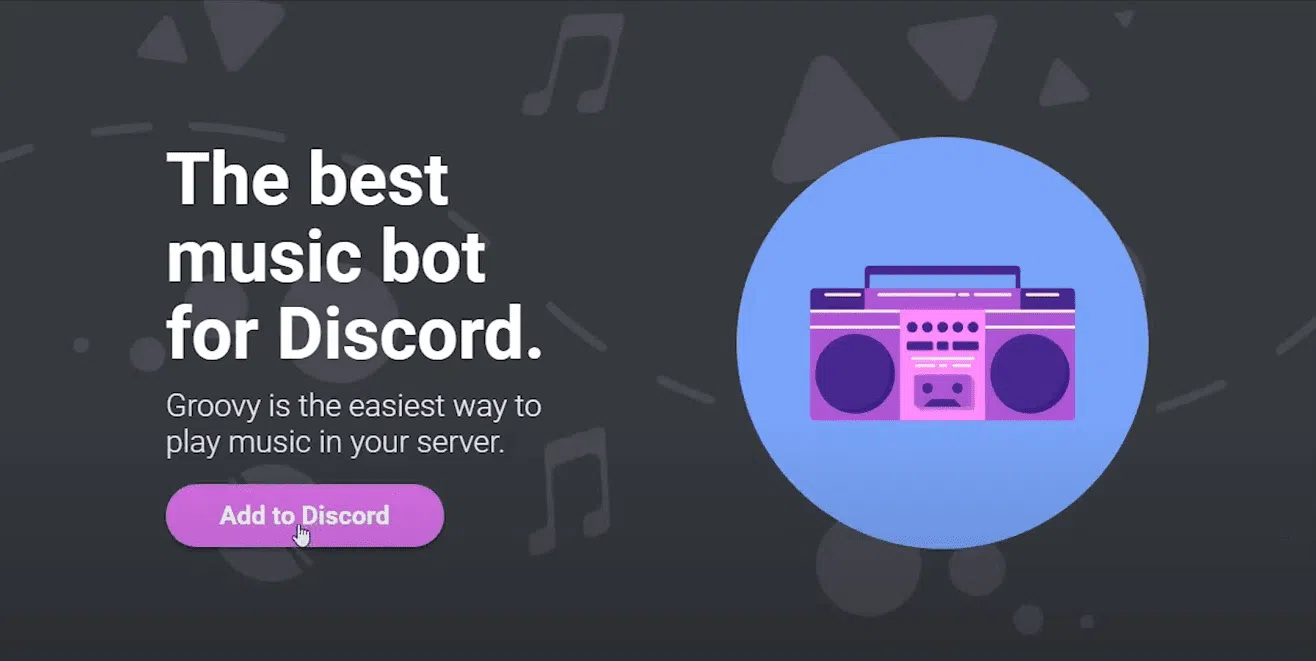
Зайдите на официальный сайт и нажмите «Добавить в Discord».
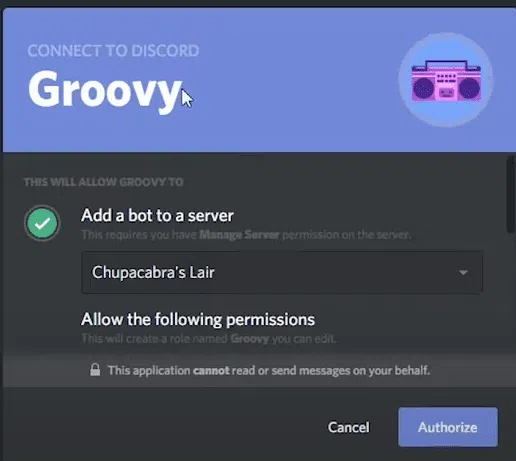
Выберите сервер и подтвердите. Музыкальный бот присоединится к вашему серверу и спасибо за его добавление.
Как лучше всего воспроизводить музыку через Discord?
- Выберите «Оборудование и звук» в разделе «Панель управления» на вашем компьютере.
- Выберите «Управление аудиоустройствами».
- Нажмите «Записывать».
- Необходимо включить Stereo Mix. Он должен быть установлен в качестве устройства связи по умолчанию.
- Вы можете наслаждаться голосовым чатом во время прослушивания музыки.
Какой лучший музыкальный бот? Это зависит от ваших потребностей, бюджета и опыта. Eсть Discord бот для всех.
Как я могу проигрывать музыку в Discord без бота?
Spotify позволяет воспроизводить песни без помощи бота Discord.
Вам просто нужно подключить к нему свою учетную запись Discord и выбрать несколько песен из списка.
Вы можете научиться играть Спотифай в Дискорде следуя нашему руководству.
Часто задаваемые вопросы о воспроизведении музыки в Discord
��♂️ Как проигрывать песни в Discord?
Установка музыкального бота Discord — самый простой способ. Rythm, Chip, Octave, MEE6, Hydra или FredBoat — одни из самых популярных музыкальных ботов. Использование Spotify или вашего микрофона также является вариантом для воспроизведения песен без ботов.
�� Как проигрывать музыку в Discord в привате?
В настоящее время музыка не может воспроизводиться во время частного или группового вызова.
��♂️ Где набирать команды для музыкального бота в голосовом канале?
В Discord команды вводятся не в голосовых каналах, а в текстовых. Команды, которые вы вводите в текстовом канале, будут отправлены на голосовой канал, к которому вы подключены.
�� Почему отключился бот Groovy?
Бот GROOVY был отключен из-за того, что он воспроизводил музыку с YouTube, что противоречит условиям обслуживания YouTube.
Быстрые ссылки
Заключительное слово-Как воспроизводить музыку на Discord 2023?
Наша любовь к Discord подпитывается тем фактом, что приложение позволяет вам играть музыку, которая сильно изменилась за последние несколько лет.
Я надеюсь, что вы смогли использовать это руководство, чтобы превратить свой Discord в музыкальную машину.
Энди Томпсон
Энди Томпсон долгое время работал писателем-фрилансером. Она является старшим аналитиком по SEO и контент-маркетингу в компании Digiexe, агентство цифрового маркетинга, специализирующееся на контенте и поисковой оптимизации на основе данных. У нее более семи лет опыта работы в цифровом маркетинге и партнерском маркетинге. Ей нравится делиться своими знаниями в самых разных областях: от электронной коммерции, стартапов, маркетинга в социальных сетях, заработка в Интернете, партнерского маркетинга до управления человеческим капиталом и многого другого. Она писала для нескольких авторитетных блогов по SEO, заработку в Интернете и цифровом маркетинге, таких как: ImageStation, & Newsmartwave
Оставьте комментарий Отменить ответ
Изучай
Ссылки на сайты
Наши сайты
Скрытые ссылки
Лучший выбор веб-хостинга
Дальнейшее чтение
Подробнее на сайте Bloggersideas.com
© 2023 BloggersIdeas | Все права защищены | BloggersIdeas и SchemaNinja являются частью Digiexe.
Весь контент и информация на этом веб-сайте и / или в информационном бюллетене, включая наши программы, продукты и / или услуги, предназначены только для информационных и образовательных целей, не являются профессиональными советами любого рода и не устанавливают никаких отношений между профессионалом и клиентом. использование вами этого веб-сайта и / или информационного бюллетеня. Отношения между профессионалом и клиентом с вами формируются только после того, как мы прямо заключили с вами письменное соглашение, которое вы подписали, включая нашу структуру вознаграждения и другие условия для работы с вами по конкретному вопросу. Хотя мы стремимся предоставить точную общую информацию, представленная здесь информация не заменяет какой-либо профессиональный совет, и вам не следует полагаться исключительно на эту информацию. Прежде чем принимать какие-либо профессиональные, юридические, финансовые или налоговые решения, всегда консультируйтесь со специалистом в данной области относительно ваших конкретных потребностей и обстоятельств.
How to Use Rythm bot discord [Rythm bot commands GUIDE]
The Ultimate Guide for How to Use Rythm Bot on Discord to play, add, stop, etc songs with Rythm Bot Commands.
What is Rythm Bot about? (Brief functions and features)
The discord usage is increasing rapidly so does the requirement for great music bots. Rythm is without a doubt one of the most popular music bots. There are a lot of intuitive features in the Rythm bot that allows you to directly play the music on your discord server. Rythm also provides functionality to stream music from various popular sources such as Spotify, Soundcloud, Youtube, and many more.
- It has an easy and intuitive set of features that can be used by any non-technical person.
- Simple and easy-to-use queue and playlist function.
- You can easily stream music from many popular sources.
- Great Support community who are active 24/7 to help to resolve your problem.
- Consistent updates were provided for the Rythm bot.
- Most preferred bot on the discord server with over 20 million discord servers.
This guide contains three main section
- How To Invite/Add Rythm Bot (Helping Hand to people trying rythm for the first time)
- How To Use Rythm Bot ( A Complete how-to guide for Rythm Bot like How to add playlist, skip or stop the song, How to use a queue, and many more)
- All Rythm Bot Commands List (A Neat Tabular list for all commands in rythm for you to reference)
I have tried my best to provide you with all the information about the rythm bot that will be super useful while you use this bot. This guide contains all the possible how-to for the rythm bot. The How-to also has screenshots of various commands tried and tested in my own discord server. If you want anything to be included in this guide then mention it down in the comment section.
TABLE OF CONTENTS
How to Add or Invite Rythm Bot on Your Discord Server
You can add the rythm bot to your server by using the invite link mentioned on the website https://rythm.fm/ . You can also follow the below steps.
STEP 1: Go to the rythm bot website https://rythm.fm/ .
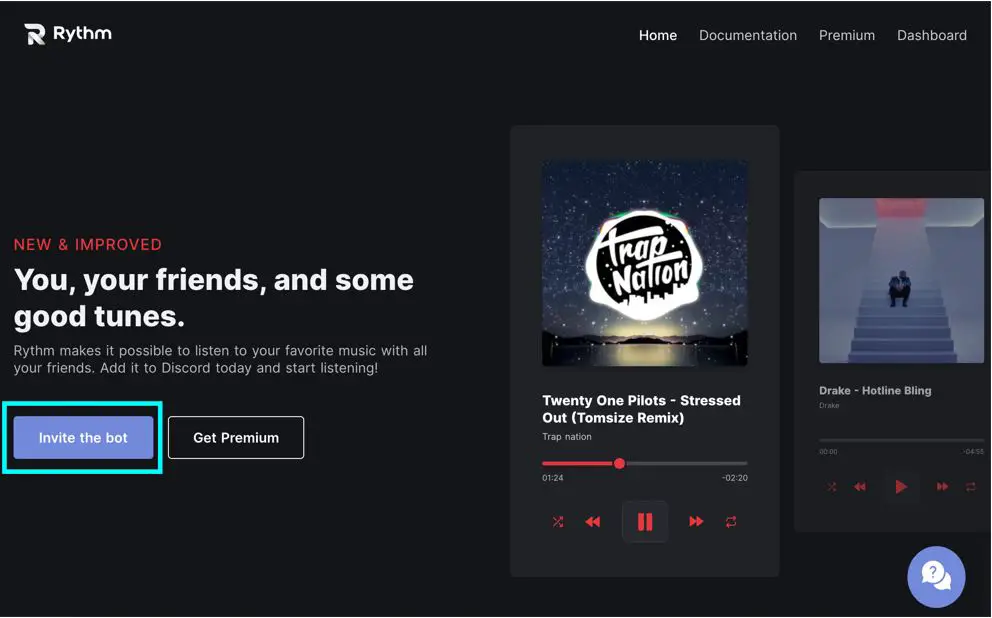
STEP 2: Click on the Invite the Bot Button on the website. If you face any difficulty click on the below invite link.
STEP 3: Select the server to which you want to add the rythm bot.
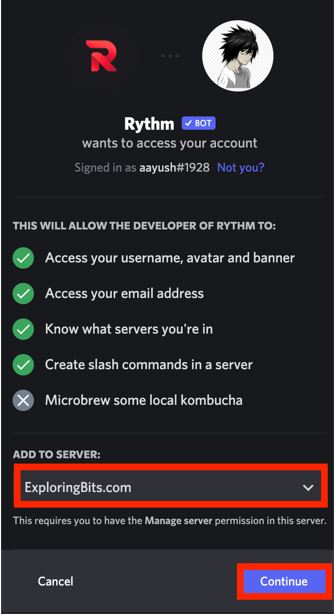
STEP 4: Authorize the permissions that the rythm bot requires to work properly.
STEP 5: You will be redirected to the rythm bot website where you can see the dashboard.
STEP 6: Return to the discord server where you have added the rythm bot. You will be able to see the rythm bot message in the general text channel.
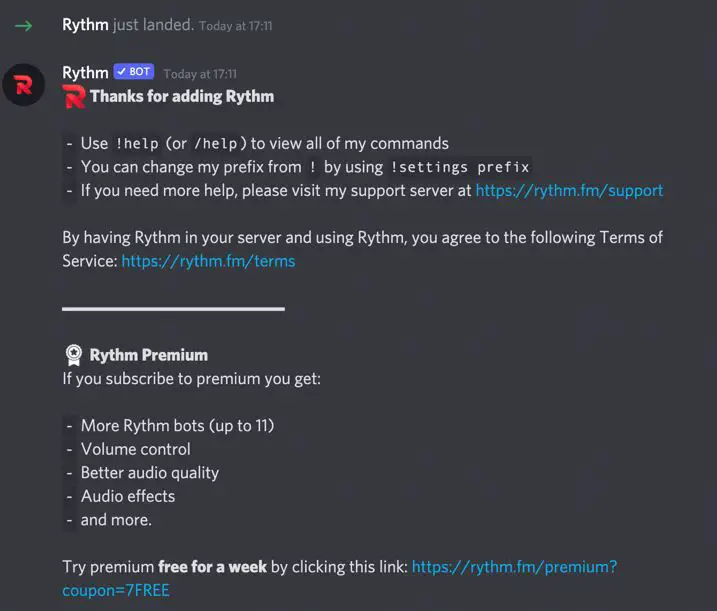
You have successfully added the Rythm bot on your discord server !!
For confirmation, you can see the logo of the rythm bot on the right sidebar.
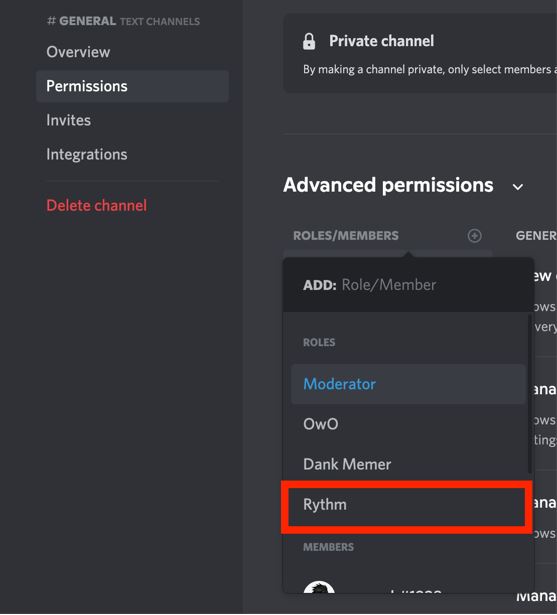
STEP 7 : You can also enable the bot for a specific channel so that other users cannot spam rythm commands in other channels.
Select the settings of the channel and click on add new roles and assign rythm to the channel permissions.
STEP 8: Go to the heading ‘how to play songs with rythm bot’ where I have detailed how you can play songs with commands.
Also, I will mention joining the support community group of rythm bot so if you ever face difficulty with the bot you can ask for help in the community.
You can join the community simply from the official website. You can follow the link that I have mentioned below to directly join the support community.
How to use Rythm Bot on Discord Server
First of all, make sure that you have added the discord bot to the required server and also you are connected to any voice channel in that server.
Let’s proceed with some basic how-to of Rythm bot
How to Play Music in Discord Using Rythm Bot
STEP 1: Join a Voice Channel. You can easily join a voice channel by clicking on the channels with a speaker icon on them.
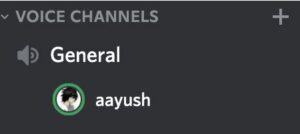
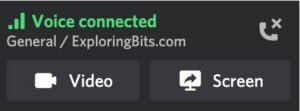
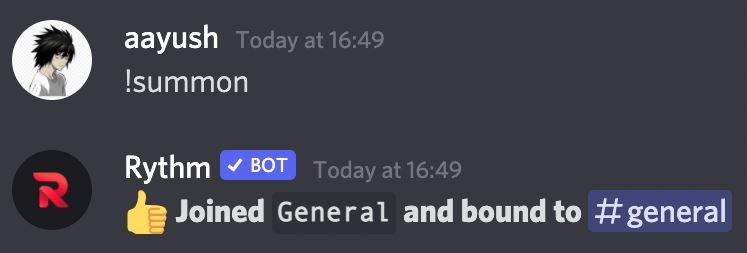
STEP 2: Summon rythm on the voice channel. Type ‘!summon’ command so that rythm can join the same channel as you are in currently.
STEP 3: Play the music. You can use the ‘!play’ command followed by song name or link from youtube, Spotify, SoundCloud, etc.
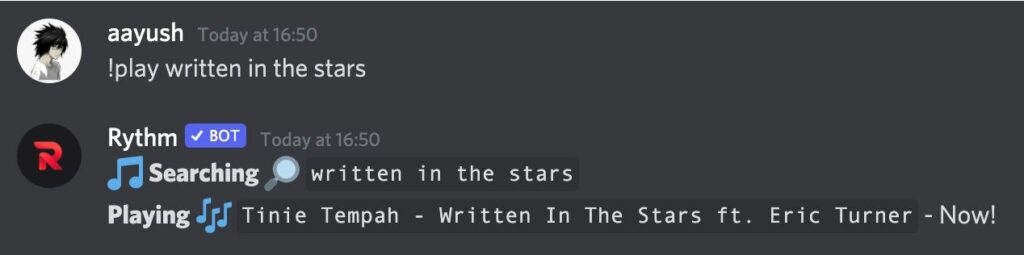
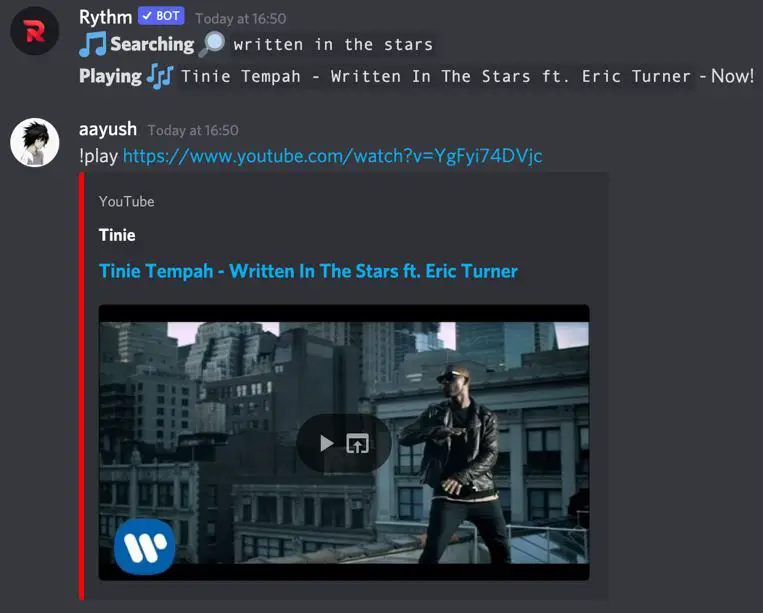
There are many commands related to playing songs that have been mentioned below in the commands section of this article.
How to Play Spotify Playlist on Discord Rythm Bot
The Rythm bot can play music from platforms such as youtube, Spotify, SoundCloud, etc with the help of just the ‘!play’ command + URL.
STEP 1: First of all, make sure that you are in the same voice channel as the rythm bot. Then go to Spotify and search for your favorite playlist.
STEP 2: Once you got the playlist then copy the URL from the web browser.
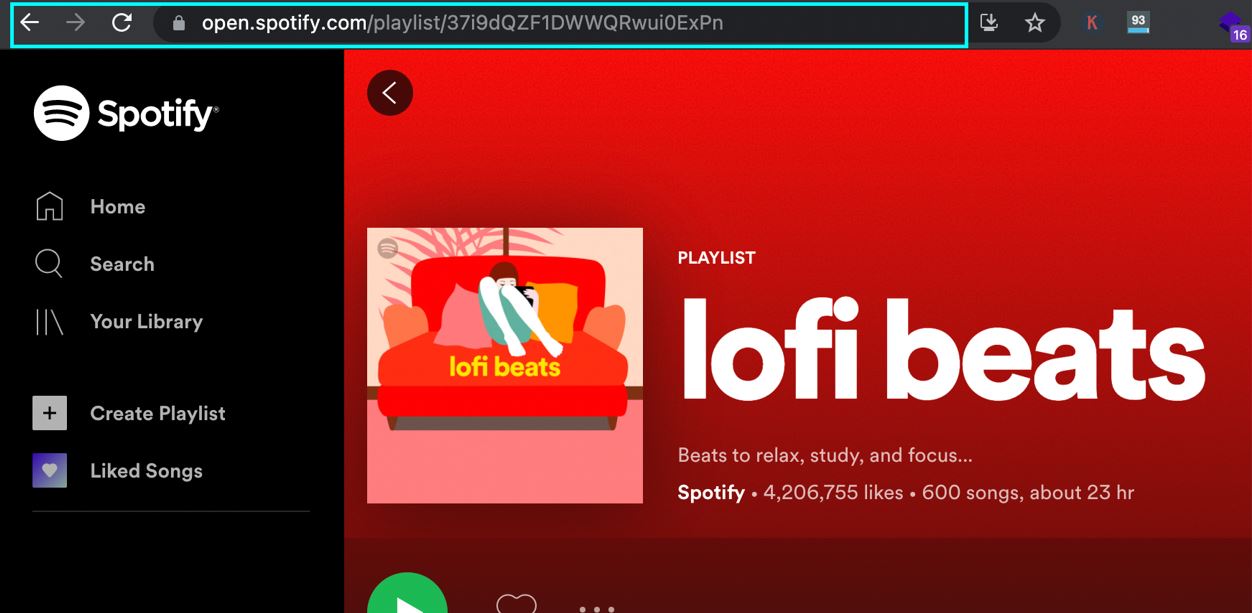
STEP 3: Paste the URL after writing the ‘!play’ command, and rythm will add all your Spotify playlist songs in the queue. You can then manage the Spotify queue as any normal song queue.
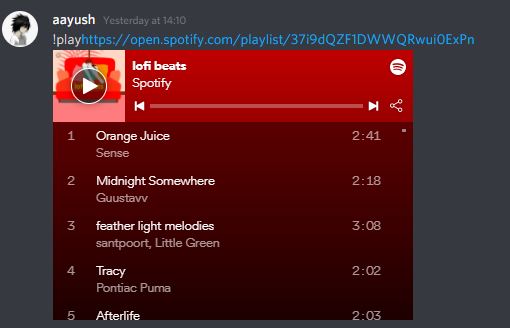
You can repeat the same process if you want to play songs from other platforms such as youtube, SoundCloud, etc.
How to Add a Song to Queue on Rythm Bot
The song automatically gets added to the queue whenever you will use the ‘!play’ command one after another. For example, if you use two play commands ‘!play believer’ and ‘!play shape of you then the first command will play the Believer song and the second play command will add the shape of your song in the queue.
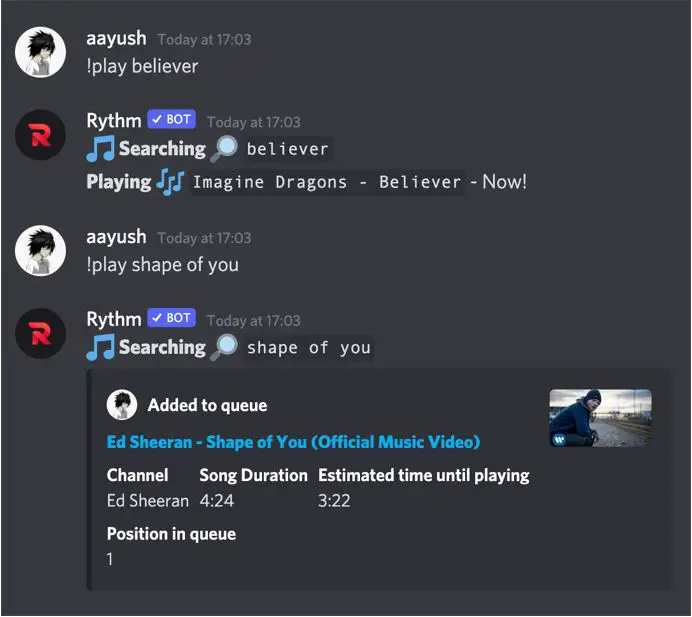
You can also use ‘!playtop song-name’ command to add a song to the top of the queue
You can see all the songs that are present in the queue with the help of ‘!queue’ command.
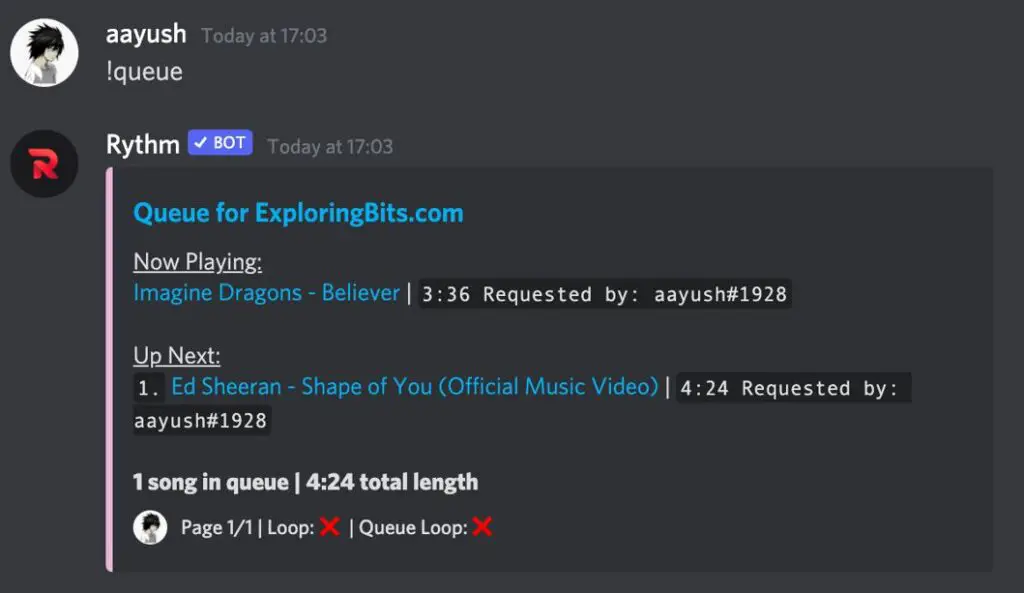
To clear all the songs that have been added to the queue you can use the ‘!clear’ command.
You can get all the commands related to the queue from the commands section of this article.
How to Loop Songs and Queue in Rhythm Bot
Rythm bot provides the feature to loop a particular song or the complete songs that are present in the queue.
1. To loop the currently playing song you can use the ‘!loop’ command and it will start to loop the currently playing song until you write the ‘!pause’ command.
2. To loop the entire queue you can use the ‘!loopqueue’ command and it will loop all the songs present in the queue.
How to Stop the Loop or Unloop Song and Queue in Rhythm Bot
If you want to stop or unloop a song or queue then you have to reuse the ‘!loop’ and ‘!loopqueue’ commands which will turn off the loop of the song or queue respectively.
You can unloop both the songs or the entire queue.
1. To unloop the currently playing songs, just type the ‘!loop’ command.
2. To unloop the complete song queue, type the ‘!loopqueue’ command.
How to Stop Rythm Bot
1. If you want the rhythm bot to stop playing the songs that you can use ‘!stop’ or ‘!pause’ commands
2. Also, you can stop the rhythm bot if you disconnect from the voice channel in which the rhythm bot is present.
How to Skip in Rythm Bot
1. To skip the currently playing song you can use the ‘!skip’ or ‘!forceskip’ command.
2. To skip to a particular song in the queue you can use ‘!skip’ + song name.
!skip believer
All Rythm Bot Commands List
NOTE: Rythm bot default prefix
If you have changed the prefix from the settings then use that prefix before the commands mentioned below than the default prefix.
Rythm Bot Song Commands
Rythm Bot Song Commands can be played once the rythm bot has been summoned in the voice channel otherwise it will alert you for using text channel.
Rythm Bot Queue Commands
Rythm bot queue Commands are used to manage the songs that are currently playing or will be played that are present inside the queue.
Rythm Bot Koodos Commands
The Rythm Bot’s Koodos commands provide the song of the day, week, month, etc based on the stats available from koodos.com.
Rythm Bot Setting Commands
Rythm bot settings commands can be used if you have the administrator or manage server-level permissions.
Just type ‘!settings’ and a complete list of all settings that can be changed will appear. Now for more information type ‘!settings <Setting-Name> and command usage will appear.
Rythm Bot Other Commands
Hope you like the Rythm Bot discord Guide. You can provide feedback about the article in the comment section. If you want any specific feature of the rhythm bot guide to be included in this article do mention it in the comments.
Some Great Music Bots
Hydra Bot – Hydra is also a great music bot. It will connect to the voice channel and play music same as other music bots. The best thing about Hydra Bot is that you can control the songs and queue with the help of emotes that are present beneath the song thumbnail.
Octave Bot – Octave Bot is maintained by the same team that is running the Dank Memer Bot (one of the largest discord bot). Earlier, Dank Memer contained music feature but later they decide to separate it into a separate music bot (octave bot).
Mee6 Bot – It is a general purpose bot. Its a great moderation bot which can play music.
You can also check the list of Best music discord bots in 2021 for detail comparisons of features and benefits.