Русские Блоги
В локальной сети, если вы хотите общаться с другими хостами через хост, вам нужно знать IP-адрес другого, но иногда вы не знаете IP-адрес другого, потому что в локальной сети, где DHCP используется для динамически выделять IP-адреса, каждый IP-адрес хоста назначается сервером DHCP, чтобы помочь вам. Поэтому во многих случаях узнать IP-адрес собеседника гораздо сложнее.
mDNS расшифровывается как Multicast DNS (многоадресный DNS). Когда используется порт 5353, эта многоадресная информация будет отображаться, когда в интрасети нет DNS-сервера.
Как работает mDNS
Во-первых, в протоколе IP указываются некоторые зарезервированные адреса, один из которых — 224.0.0.251, а соответствующий адрес IPv6 — [FF02 :: FB].
- Протокол mDNS указывает порт 5353.
- mDNS основан на протоколе UDP.
Каждый хост, входящий в локальную сеть, если служба mDNS включена, будет многоадресно рассылать сообщение всем хостам в локальной сети, кто я и каков мой IP-адрес. Тогда другие хосты, у которых также есть служба, ответят и сообщат вам, кто это и каков его IP-адрес. Конечно, конкретная реализация более сложна.
Например, хост A входит в локальную сеть, запускает службу mDNS и регистрирует следующую информацию в службе mDNS: я предоставляю службу FTP, мой IP-адрес 192.168.1.101, а порт — 21. Когда хост B входит в локальную сеть и запрашивает службу mDNS хоста B, я ищу FTP-сервер в локальной сети, и mDNS хоста B перейдет в локальную сеть, чтобы запросить другой mDNS и, наконец, сообщить вам, что существует IP-адрес 192.168.1.101, хост с номером порта 21, то есть хост A предоставляет службу FTP, поэтому хост B знает IP-адрес и номер порта хоста A.
Общий принцип такой: mDNS предоставляет гораздо больше услуг, чем это, конечно, есть много услуг, но не сложно.
Эта услуга предоставляется на устройствах Apple (компьютеры, ноутбуки, iPhone, iPad и другие устройства). Многие устройства Linux также предоставляют эту услугу. Устройства Windows могут не предоставляться, но если установлено программное обеспечение, такое как iTunes, эта услуга также предоставляется.
Таким образом, вы можете использовать эту службу для разработки некоторого автоматического обнаружения в локальной сети, а затем предоставить некоторые интерактивные приложения в локальной сети.
Реализация в ESP8266
В следующем примере ESP8266 используется для регистрации службы mDNS в текущей интрасети в дополнение к запросу, какой mDNS может использоваться в сети, и распечатке их всех.
Эта статья все еще обновляется, поэтому следите за обновлениями
Обнаружена опасная уязвимость в реализации mDNS
Злоумышленники могут воспользоваться уязвимостью для получения важных данных об устройствах в локальных сетях компаний.
Во вторник, 31 марта, американский CERT опубликовал уведомление об уязвимости в системе mDNS (multicast Domain Name System). Найденная брешь может эксплуатироваться для получения доступа к важным данным внутри локальной сети и проведения DDoS-атак.
Среди уязвимых производителей называют такие компании, как Canon, HP и IBM. Продукты Cisco, D-Link и Microsoft не подвержены уязвимости, а устройства от Apple и Dell остаются под вопросом.
mDNS используется для упрощения конфигурации сети, а также для интеграции сетевых сервисов. Проблема состоит в том, что некоторые устройства с поддержкой mDNS могут отвечать на запросы, полученные из интернета, предоставляя злоумышленникам доступ к потенциально важным данным о сетевых устройствах, присутствующих в локальной сети.
Для того, чтобы проверить наличие уязвимости, достаточно отправить стандартный DNS-запрос на порт 5353. Если ответ на такой запрос получен, то злоумышленник сможет использовать WAN-интерфейс для дальнейших действий. Масштаб возможной утечки данных зависит от особенностей конкретного устройства. Это могут быть серийные номера, информация о конфигурации локальной сети и прочее.
Для устранения уязвимости рекомендуется блокировать входящие и исходящие запросы на порт UDP 5353.
Port 5353 Details
Backdoor.Optix.04.E [Symantec-2004-021021-2851-99] (2004.02.10) — a backdoor trojan horse that gives an attacker unauthorized access to an infected computer by opening TCP port 5353 and listening for incoming connections.
Remote attackers can perform a denial of service in WebRamp systems by sending a malicious UDP packet to port 5353, changing its IP address.
References: [CVE-1999-0438]
Avahi-core/socket.c in avahi-daemon in Avahi before 0.6.29 allows remote attackers to cause a denial of service (infinite loop) via an empty mDNS IPv4 or IPv6 UDP packet to port 5353.
References: [CVE-2011-1002], [BID-46446]
Avahi is vulnerable to a denial of service, caused by a NULL pointer dereference error within the avahi-core/socket.c. By sending a specially-crafted UDP packet to UDP port 5353, a remote attacker could exploit the vulnerability to cause the application to enter into an infinite loop.
References: [CVE-2011-0634] [XFDB-65524] [BID-46446] [SECUNIA-43361]
The Multicast DNS (mDNS) responder in IBM Security Access Manager for Web 7.x before 7.0.0 FP12 and 8.x before 8.0.1 FP1 inadvertently responds to unicast queries with source addresses that are not link-local, which allows remote attackers to cause a denial of service (traffic amplification) or obtain potentially sensitive information via port-5353 UDP packets.
References: [CVE-2015-1892]
The Multicast DNS (mDNS) responder in Synology DiskStation Manager (DSM) before 3.1 inadvertently responds to unicast queries with source addresses that are not link-local, which allows remote attackers to cause a denial of service (traffic amplification) or obtain potentially sensitive information via port-5353 UDP packets to the Avahi component.
References: [CVE-2015-2809]
Cisco IOS and Cisco IOS XE are vulnerable to a denial of service, caused by an error within the multicast DNS (mDNS) gateway function when processing malicious packets. By sending specially-crafted IP version 4 (IPv4) or IP version 6 (IPv6) packets on UDP port 5353, a remote attacker could exploit this vulnerability to cause the device to reload.
References: [CVE-2015-0650] [XFDB-101807]
The Multicast DNS (mDNS) responder used in BOSE Soundtouch 30 inadvertently responds to IPv4 unicast queries with source addresses that are not link-local, which allows remote attackers to cause a denial of service (traffic amplification) or obtain potentially sensitive information via port-5353 UDP packets.
References: [CVE-2017-6520], [XFDB-128565]
Notes:
Port numbers in computer networking represent communication endpoints. Ports are unsigned 16-bit integers (0-65535) that identify a specific process, or network service. IANA is responsible for internet protocol resources, including the registration of commonly used port numbers for well-known internet services.
Well Known Ports: 0 through 1023.
Registered Ports: 1024 through 49151.
Dynamic/Private : 49152 through 65535.
TCP ports use the Transmission Control Protocol, the most commonly used protocol on the Internet and any TCP/IP network. TCP enables two hosts to establish a connection and exchange streams of data. TCP guarantees delivery of data and that packets will be delivered in the same order in which they were sent. Guaranteed communication/delivery is the key difference between TCP and UDP.
UDP ports use the Datagram Protocol. Like TCP, UDP is used in combination with IP (the Internet Protocol) and facilitates the transmission of datagrams from one computer to applications on another computer, but unlike TCP, UDP is connectionless and does not guarantee reliable communication; it’s up to the application that received the message to process any errors and verify correct delivery. UDP is often used with time-sensitive applications, such as audio/video streaming and realtime gaming, where dropping some packets is preferable to waiting for delayed data.
When troubleshooting unknown open ports, it is useful to find exactly what services/processes are listening to them. This can be accomplished in both Windows command prompt and Linux variants using the «netstat -aon» command. We also recommend runnig multiple anti-virus/anti-malware scans to rule out the possibility of active malicious software. For more detailed and personalized help please use our forums.
Multicast DNS (MDNS) on Home Networks
 Multicast DNS is part of Zero-configuration networking (zeroconf) set of technologies designed to enable devices to work on networks without manual setup.
The Multicast DNS protocol is used to locate a device or service by name on a small local network without using a preconfigured name sever i.e DNS.
Originally developed by Apple it goes under the name of Bonjour. It is an Internet standard Multicast DNS RFC 6762.
Multicast DNS uses the same packet structure and commands as DNS, but doesn’t rely on a user configured DNS server.
Instead computers on a network create their own local DNS records and store them locally in cache. (computer memory).
In this tutorial you will learn how the mDNS protocol works and how to perform mDNS queries using the avahi utility tools, and the dns-sd tool from the Bonjour sdk.
Quick Links
mDNs on Linux and Windows
On Linux including the Raspberry Pi it is usually installed automatically and uses Avahi packages .
You can also download the utilities which can be useful for troubleshooting using:
On windows and Apple the mDNS services are provided by the Bonjour packages.
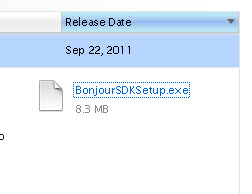
You can download the Bonjour SDK here which will allow you to use the dns-sd command line tool.
You will need to create a developer account to download the SDK.
How mDNS Works
It is useful to compare mDNS with the traditional DNS service especially if you are familiar with DNS.
When a host requires to know the IP address of another host is send a DNS query to a DNS server using a unicast UDP message on port 53.
The address of this DNS server is part of the network configuration of the host.
With mDNS no mDNS server is preconfigured, and the host uses a multicast query on IPv4 address 224.0.0.251 or IPv6 address ff02::fb and UDP port 5353.
All mDNS hosts see this query and the host that has this network name responds to the query using a multicast message that contains it’s IP address.
Because messages were exchanged using multicast all other mDNS hosts see this exchange and can make a note of the network name and IP address, and store this in their local cache.
All mDNS hosts now know the name and IP address of the requested host.
So the process is:
- Host A sends query for IP address of Host Z.
- All mDNS hosts see this query.
- Host Z responds with it’s IP address
- All mDNS hosts see this response.
- All mDNS hosts update their local cache with the name host Z and it’s IP address.
The .local Domain Name
All DNS entries have a domain name and for devices and services on local networks that aren’t part of the global DNS namespace the .local domain name was reserved.
This means that all hosts on a local network will have a name of the form.
host1.local
The mDNS resolver on the client registers the host with the .local prefix.
So when you do a ping on a local network you would use:
for a computer called ws6 on your local network. The local name resolver will automatically choose mDNS as a first choice to resolve the name because of the presence of the .local suffix.
mDNS Records
mDNS supports both host name records (A and AAAA) record types and SRV records as in standard DNS.
Because of this mDNS can be used for locating hosts and services on a local network.
The service record structure can appear confusing at first glance for any one new to DNS service records.
The structure (taken from wiki) is shown below along with an example record:
the service is _sip
the proto name is tcp //protocol service uses
the name is example.com. // domain name for which it is valid.
You should notice the use of the underscores in the structure.
At the end of the record we have
The port is the port the service runs on (5060) and the target is the host that runs this service ( sipserver.example.com. )
Announcements
As part of the mDNS protocol mDNS devices will make announcements containing their mDNS records on start and in response to network changes on the host machine.
These announcements will be received by all mDNS clients on the local network and are used to update their own records.
Service Discovery Using mDNS
mDNS can be used to discover services like MQTT on your local network.
Example Query
An mDNS client issues a query for that service as shown by using the avahi-browse utility below:

You can see that this service is available on machine called pi2 and on both IPv4 and IPv6.
On Windows use the dns-sd -B service name command

Finding Hosts Using mDNS
This can be demonstrated using the avahi-resolve utility an example is shown below

On Windows use the dns-sd -Q hostname command

Common Questions and Answers
Q- Can I still use a local domain name server like DNSMasq if my clients use mDNS.
A- Yes they co-exist on the same network.
Q- Can you use mDNS across VLANs?
A- Not without extra configuration.
Q- Can I use a host announce services that are available on other machines on the network?
A- Yes on Linux you will need to create and add a avahi services file. See Broadcast mDNS for another Device.