What is the Difference between DEB and RPM? (Linux)
Linux is complicated for different reasons. But even when you think you know Linux, switching from a distribution to another can also bring many changes, like the one concerning the package manager.
DEB and RPM are two files used by package managers on Linux operating systems. The main difference is that DEB can only be used on Debian-based distributions, while RPM are for distributions based on Red Hat.
In this article, we’ll discuss in detail about DEB and RPM to see the exact differences between them.
DEB packages
Definition
deb is the format, as well as extension of the software package format for the GNU/Linux distribution Debian and its derivatives.
Wikipedia
In short, to install a new application on Debian, you’ll need a deb file, one way or another. If you use a graphical tool or the apt command it might be hidden, but in the background, that’s always a deb file that will be downloaded and installed.
A deb file is an archive containing all the files needed to install the desired software.
Which Linux distributions use DEB packages?
As explain in this article, Linux is the kernel of many different systems, named distributions. Debian is one popular distribution, but it’s not the only one.
Debian and all distributions based on it are using DEB packages to install new software. It includes well-known distributions like Ubuntu, Linux Mint or Kali Linux but also many others.
How to install DEB packages?
As I already told you, DEB packages are most of the time installed in the background via tools like apt or a graphical equivalent. But it’s also possible to download an install them manually.
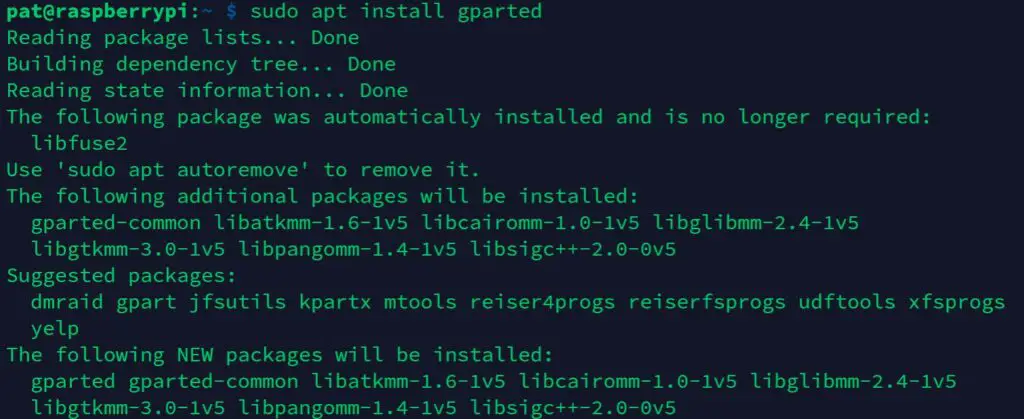
For example, if you download the Opera web browser on the official website, you’ll get a deb file named something like:
opera-stable_77.0.4054.64_amd64.deb
Once downloaded you can install it with this command:
sudo dpkg -i opera-stable_77.0.4054.64_amd64.deb
The -i option stands for “install”.
A package file might have some dependencies to work correctly, in this case you need to install them first.
You may also like:
RPM packages
What is RPM on Linux?
RPM stands for Red Hat Package Manager. It’s a file format that can be use by the package manager on Red Hat systems to install a new software on a computer. Basically, it’s an archive file containing everything needed to install the corresponding application.
Which Linux distributions use RPM packages?
All distributions based on Red Hat use RPM packages to install new applications. For example, Fedora, CentOS and OpenSuse can read and install RPM packages natively.
How to install RPM packages?
Red Hat-based systems comes with the RPM package manager tool, that can be used to install new RPM packages.
The corresponding command line is:
rpm -ivh <package_name>
- i: Install a new package
- v: Print verbose information
- h: Better display for the verbose information
Differences between DEB and RPM
Usage
From a user point of view, there is no big difference between DEB and RPM. In both cases, they are the files needed to install a new application on their system.
Distributions
Even if DEB and RPM are not different for the end user, they don’t work on the same operating systems.
Linux distributions based on Debian can install DEB files while distributions based on Red HAT can only install RPM packages.
Convert RPM to DEB
As there is no big technical difference between RPM and DEB, it’s possible to convert one format to another by using the alien command line.
So, the first step is to install alien:
sudo apt install alien
The, you can use the alien command to convert an rpm file to a deb package:
alien <package-name>.rpm
Convert DEB to RPM
The “alien” tool can be used the same way to convert a deb file to a rpm package:
alien -r <package-name>.deb
Once done, you can use the commands given previously to install them on your system.
Does Ubuntu use DEB or RPM?
Ubuntu is based on Debian, so it uses DEB packages to install new applications. Ubuntu also relies on SNAP, which is another package system (bundling apps and their dependencies in one file).
Does CentOS use DEB or RPM?
CentOS is based on Red Hat, so as any Red Hat distributions, applications are installed by using RPM files.
Is Fedora RPM or DEB based?
Fedora is based on Red Hat, and uses RPM files to install new applications.
Does Linux Mint use DEB or RPM?
Linux Mint is another Linux distribution, based on Ubuntu, and so it uses the same package system as on any Debian-based distribution: DEB files.
What’s the difference between DPKG and RPM?
Dpkg is a Linux command that can be used to install DEB files on Debian-based distributions. It’s the equivalent of the rpm command on distributions based on Red Hat.
I am very curious and I love to learn about all types of subjects.
Thanks to my experience on the web, I share my discoveries with you on this site 🙂
.deb vs .rpm
Интересует сравнение формата пакетов, а не ПМ к ним. В чем их различия, преимущества и недостатки?

С точки зрения конечного юзера разницы нет.
Ты можешь хоть раз ответить кому-нибудь хотя бы чуть-чуть релевантно?
А чем тебе не нравится ответ? Как ты спросил, так я и ответил. С точки зрения юзера действительно разницы никакой, так как это только способ хранения данных. Приведу другой пример, тебя сильно заботит разница между дизельным движком и бензиновым, когда ты просто пассажир? Здесь тоже самое.
deb здорово распаковывать, низкоуровнево редактировать, и снова запаковывать. Ещё deb хорош тем, что используется только одним дистрибутивом Linux. Создать одну RPM-ку, которая успешно установится в RHEL, Fedora, SLES, openSUSE, Mageia и Alt — трудно, потому что иногда одна и та же зависимость пакета называется по-разному. Низкоуровневое редаактирование тут было бы очень кстати, но у RPM его нет.
А чем хорош RPM? Ну, не знаю. Наверное, отсутствием других недостатков. И RPM, и DEB, прекрасно работают.
«Ещё deb хорош тем, что используется только одним дистрибутивом Linux.»
Действительно, это так.)
Мда, не можешь, ясно.
Писать rpm-спеки проще. У них нет десяти разных способов сделать одно и то же. Есть один строго регламентированный файл с более простым форматом.
При этом deb-спеки обычно делают гораздо больше действий, чем rpm.
Мне искренне тебя жаль, ты даже читать не можешь, а уж понимать и тем более.
Что такое спеки?
Т.е. херь пишешь ты, а читать не могу я? Странный ты, шизик, наверное.
Спек — это корка запёкшейся крови. Шучу. Это файл спецификации, который (в сумме с исходным кодом) делает RPM или DEB пакет.
Щито? Можно ткнуть носом в статью об этих форматах или здесь объяснить?
Чтобы вторая команда сработала, нужно разрешить этот репозиторий. Также это можно сделать, отредактировав файл /etc/apt/sources.list. Просто продублировать всё, что есть, поменяв кое-что. «deb» в начале на «deb-src»
мне кажется тебе рано про различия спрашивать, надо сначала узнать о том чьи различия ты надеешься оценить
что такое пакет например..


Проблема на самом деле там одна — нет адекватного пакетного менеджера. И если с apt’ом ещё как-то можно мириться, то на редхате какой то бдсм. И плюс чуть ранее существовало 3-4 формата rpm.
Я аж на календарь посмотрел, засомневался какой сейчас год.
Только не рассказывайте ТС про флетпак и снаппи.
flatpack — это не альтернатива пакетному менеджеру
есть разные уровни и конфигурации и разные способы для каждого. rpm и deb — это базовая система, flatpack — это верхний пользовательский уровень

Раньше был дистрибутив на .rpm — всё устраивало. Сейчас на .deb — всё так же устраивает.
Ок, просто спросил.
Различие в том, что rpm пакует богомерзкая корпа и их прихвостни, а deb свободное сообщество. Дальше выводы и выбор за тобой.
Ок, пакую в рпм, васянские поделия не нужны, интерпрайз лучше.
Мало имел дело с deb. Всегда и долго работал и работаю с rpm, никаких особых недостатков не замечал. Возможно, синдром утенка. Но личных потребностей в deb нет, а производственные решаются по документации.
Из косвенно связанных с rpm проблем, подтверждаю уже сказанное в топике, что бесит в разных rpm-дистрах — разные названия одних и тех же пакетов, даже в рамках одного, казалось бы, загончика: например, python3, python34, python33, python36 в федоре и centos — путаница жуткая, привет ‘if’-ам в спеках. Но это не проблема RPM, а отсутствие единообразия в именовании
DEB vs. RPM
From user’s point of view, there isn’t much difference in these tools. The RPM and DEB formats are both just archive files, with some metadata attached to them. They are both equally arcane, have hardcoded install paths and only differ in subtle details. DEB files are installation files for Debian based distributions. RPM files are installation files for Red Hat based distributions. Ubuntu is based on Debian’s package manage based on APT and DPKG. Red Hat, CentOS and Fedora are based on the old Red Hat Linux package management system, RPM.
What is DEB?
DEB is the extension of the Debian software package format and the most often used name for such binary packages. DEB was developed by Bedian
What is RPM?
It is a package management system. The name RPM variously refers to the .rpm file format, files in this format, software packaged in such files, and the package manager itself. RPM was intended primarily for Linux distributions; the file format is the baseline package format of the Linux Standard Base. RPM was developed by Community & Red Hat.
.deb vs .rpm differences?
Any given RPM can have its entire file list exploded before install, and the scripts run are visible via a simple rpm -q —scripts -p <pkgname>. The file list includes the associated user/group and permissions ahead of time and could be examined for untrusted or unexpected entries.
An RPM scriptlet can call a script that the RPM itself lays down in %post, of course (and in fact, plenty of packages do that for things like data initialization or whatnot), but individual files can be extracted and examined ahead of time (using cpio) if there is a specific concern.
Some of these things sound a little interesting — I could see value in write-protecting /boot maybe. I had thought an inotify for any non-t_tmp file not owned by the package being modified during %post could be flaggable, but I could also see that resulting in an endless prompt of Vista-esque UAC confirmations.
Ultimately, I guess I’m just a bit confused. A competent sysadmin has ways of examining an untrustworthy RPM, but the entire point of OSS (which GNU/Linux is an environment of) is that the person doing the work has methods for varying levels of introspection into what’s going on, and it feels like the RPM format (and ecosystem of tools) provides mechanisms for that. Does dpkg and the .deb format not?
(Log in to post comments)
.deb vs .rpm differences?
Posted Nov 7, 2018 18:51 UTC (Wed) by zyga (subscriber, #81533) [Link]
.deb vs .rpm differences?
Posted Nov 7, 2018 19:33 UTC (Wed) by rweikusat2 (subscriber, #117920) [Link]
A Debian package is basically an ar archive containing two compressed tarfiles, control.tar.gz and data.tar.gz (possibly using a different compression method and corresponding extension). The second contains the complete filesystem tree of the package and the first the packaging meta-files. That’s mostly a header with a general package description (called control) and the so-called package maintainer scripts which will be run at various phases of the install with certain arguments (as documented in the Debian Policy Manual).
Besides the option of disassembling the archive manually, the dpkg-deb command can be used to access the contents. Assuming a package file named uselessd_1.52.11_amd64.deb, the command would enable examining the contents of the data archive and would extract the postinstall configuration script to stdout.
.deb vs .rpm differences?
Posted Nov 9, 2018 16:07 UTC (Fri) by ceplm (subscriber, #41334) [Link]
.deb vs .rpm differences?
Posted Nov 7, 2018 21:19 UTC (Wed) by roc (subscriber, #30627) [Link]
A sysadmin or normal user who would rather check a label than inspect package contents isn’t necessarily «incompetent» or «lazy», they may just have better things to do with their time.
.deb vs .rpm differences?
Posted Nov 7, 2018 21:39 UTC (Wed) by jccleaver (subscriber, #127418) [Link]
That seems like an impossible thing to guarantee in and of itself. File ownership, sure, but a general Linux system will be able intake config files in a number of ways that could involve root. You might as well try to guarantee against buffer overflows. Relying solely on install-time packaging tools for this (which would be a necessary component of this in order to provide any actual time savings for an admin) would be risky at best.
A better option might be to enforce MAC and flag packages that have any files installing in an unconfined domain onto the system. An included SELinux policy (required to do anything useful) in the package could then be scanned and presented in some sort of readable way for approval prior to manual install.
.deb vs .rpm differences?
Posted Nov 8, 2018 8:31 UTC (Thu) by mjthayer (guest, #39183) [Link]
.deb vs .rpm differences?
Posted Nov 17, 2018 3:46 UTC (Sat) by ssokolow (guest, #94568) [Link]
That’s actually one of the advantages Snappy claims over Flatpak.
.deb vs .rpm differences?
Posted Nov 9, 2018 0:12 UTC (Fri) by Rudd-O (guest, #61155) [Link]
.deb vs .rpm differences?
Posted Nov 9, 2018 9:55 UTC (Fri) by guillemj (subscriber, #49706) [Link]
.deb vs .rpm differences?
Posted Nov 9, 2018 21:10 UTC (Fri) by rweikusat2 (subscriber, #117920) [Link]
The dpkg-deb command can be used to do this. prints a summary of the package content which lists all scripts. A can be used to show each of them.
Copyright © 2023, Eklektix, Inc.
Comments and public postings are copyrighted by their creators.
Linux is a registered trademark of Linus Torvalds