Как настроить sublime text 3 для python
If your computer says that you don’t have Python3, you can download it from the Python website https://www.python.org/downloads/ and installed it on your computer.
Step 2: Make sure you already have Sublime Text on your computer!
At the time of this writing, the latest sublime is Sublime Text 3 you can download it from https://www.sublimetext.com and install it right away

Step 3: Let’s setting Python3 on your Sublime Text
Create a new file and save it with extension .py for example save it as checkversion.py
Go to Tools -> Build System -> Python then type on your checkversion.py
then press CTRL + B to run the code on Sublime
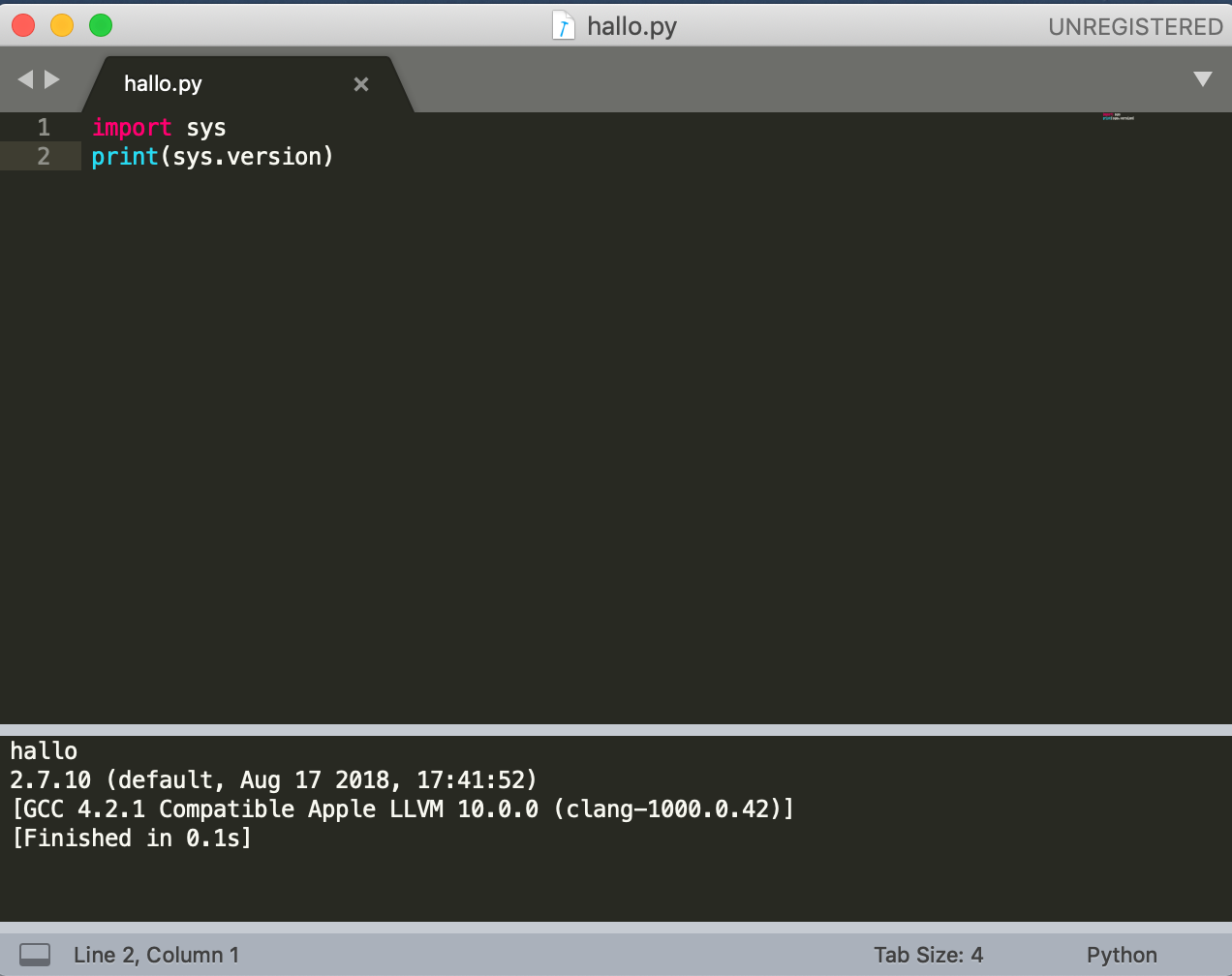
As you see, the version on the sublime is Python 2.7 we need to use Python 3 . Then we can set the Sublime Text to use Python3 instead of Python2. Here’s the step:
First: Check where is your Python3 path using this command
UNIX STYLE
WINDOWS STYLE
Second: Add new build system on your Sublime
Tools -> Build System -> New Build System and make sure that the new build system has this following command