How to install MariaDB on CentOS 7 / RHEL 7

We previously wrote about MariaDB Server on RHEL 7 in October, 2014. MariaDB Server has grown substantially in the past 6 years, so in February, 2020 we’ve provided a refresh of this topic. If you’re looking for our old words, you can find them here.
About RHEL 7 and CentOS 7
Red Hat Enterprise Linux 7 (RHEL 7) was released back in 2014, and has had seven point releases since. The CentOS Project follows releases of upstream RHEL source code with community binary builds a few months later. CentOS Linux 7 was released in July 2014. MariaDB Server is available for use on both RHEL 7 and CentOS 7.
Red Hat has announced that RHEL 7.7 will be the last point release on the RHEL 7.x release series, so we expect users will be looking to upgrade to RHEL 8 before support for RHEL 7.7 concludes in August 2021. If you are looking to upgrade, you may enjoy our blog, “How to install MariaDB Server on RHEL 8 / CentOS 8“.
MariaDB Server is available and supported on RHEL 7 and CentOS 7, and is easily deployed from OS vendor repositories or MariaDB repositories using YUM.
Installing MariaDB Server
The RHEL 7 and CentOS 7 distributions include MariaDB Server 5.5 by default.
You can install MariaDB Server from the command-line:
Benefits of MariaDB Server 10.4
While CentOS 7 and RHEL 7 include MariaDB Server 5.5, substantial improvements have been made as MariaDB Community Server changed through the 10.0, 10.1, 10.2, 10.3, and 10.4 release series. The MariaDB Server 10.4 release series includes:
- Instant ALTER for InnoDB tables
- Optimizer trace to aid in performance diagnosis
- Window functions and Common Table Expressions (CTE)
- Temporal tables, including system-versioned, application time-period, and bitemporal (both)
- Ability to reload SSL certificates without server restart
- Galera 4 technology, a major enhancement over Galera 3
- Additional storage engines, including MyRocks
- SQL_MODE=ORACLE for compatibility with a subset of Oracle PL/SQL
- Expanded data-at-rest encryption
- Authentication enhancements, including multiple authentication methods per user
Installing MariaDB Server 10.4
To deploy MariaDB Community Server 10.4 on RHEL 7 or CentOS 7, first download and use the mariadb_repo_setup script to configure the MariaDB repositories for YUM:
To install MariaDB Community Server and dependencies:
Configuring and Securing MariaDB Server
Start the systemd service for MariaDB Server 5.5 or 10.4 using systemctl:
Specific security practices should always follow any business-specific requirements and governance. Some basic steps should be taken to help harden the MariaDB Community Server 5.5 or 10.4 deployment:
MariaDB Enterprise Server
MariaDB Corporation provides commercial support for MariaDB Platform, which includes MariaDB Enterprise Server. MariaDB Enterprise Server is supported on a range of operating systems, including RHEL 7 and CentOS 7.
MariaDB Enterprise Server is based on MariaDB Community Server, and ships with enhanced features including:
Installing MariaDB with yum/dnf
On RHEL, CentOS, Fedora, and other similar Linux RPM based distributions, these provide MariaDB packages. These are supported by those distributions. If you have a particular need for a later version than what is in the distribution, then MariaDB provides repositories for them.
Using repositories rather than installing RPM allows for an ease of update when a new release is made. It is highly recommended to install the relevant RPM packages from MariaDB’s repository using yum or dnf. Centos 7 still uses yum , most others use dnf , and SUSE/openSUSE use zypper .
This page walks you through the simple installation steps using dnf and yum .
Contents
Adding the MariaDB YUM repository
We currently have YUM/DNF repositories for the following Linux distributions, and for the versions that are in standard (not extended) support:
- Red Hat Enterprise Linux (RHEL)
- CentOS
- Fedora
- openSUSE
- SUSE
Using the MariaDB Package Repository Setup Script
If you want to install MariaDB with yum , then you can configure yum to install from MariaDB Corporation’s MariaDB Package Repository by using the MariaDB Package Repository setup script.
MariaDB Corporation provides a MariaDB Package Repository for several Linux distributions that use yum to manage packages. This repository contains software packages related to MariaDB Server, including the server itself, clients and utilities, client libraries, plugins, and Mariabackup. The MariaDB Package Repository setup script automatically configures your system to install packages from the MariaDB Package Repository.
To use the script, execute the following command:
Note that this script also configures a repository for MariaDB MaxScale and a repository for MariaDB Tools, which currently only contains Percona XtraBackup and its dependencies.
Using the MariaDB Repository Configuration Tool
If you want to install MariaDB with yum , then you can configure yum to install from MariaDB Foundation’s MariaDB Repository by using the MariaDB Repository Configuration Tool.
The MariaDB Foundation provides a MariaDB repository for several Linux distributions that use yum to manage packages. This repository contains software packages related to MariaDB Server, including the server itself, clients and utilities, client libraries, plugins, and Mariabackup. The MariaDB Repository Configuration Tool can easily generate the appropriate configuration file to add the repository for your distribution.
Once you have the appropriate repository configuration section for your distribution, add it to a file named MariaDB.repo under /etc/yum.repos.d/ .
For example, if you wanted to use the repository to install MariaDB 10.6 on RHEL (any version), then you could use the following yum repository configuration in /etc/yum.repos.d/MariaDB.repo :
The example file above includes a gpgkey line to automatically fetch the GPG public key that is used to verify the digital signatures of the packages in our repositories. This allows the the yum , dnf , and rpm utilities to verify the integrity of the packages that they install.
Pinning the MariaDB Repository to a Specific Minor Release
If you wish to pin the yum repository to a specific minor release, or if you would like to do a yum downgrade to a specific minor release, then you can create a yum repository configuration with a baseurl option set to that specific minor release.
The MariaDB Foundation archives repositories all releases is at the following URL:
Note this isn’t configured as a highly available server. For that purpose please use the main mirrors.
For example, if you wanted to pin your repository to MariaDB 10.3.34 on CentOS 7, then you could use the following yum repository configuration in /etc/yum.repos.d/MariaDB.repo :
Note that if you change an existing repository configuration, then you may need to execute the following:
Updating the MariaDB YUM repository to a New Major Release
MariaDB’s yum repository can be updated to a new major release. How this is done depends on how you originally configured the repository.
Updating the Major Release with the MariaDB Package Repository Setup Script
If you configured yum to install from MariaDB Corporation’s MariaDB Package Repository by using the MariaDB Package Repository setup script, then you can update the major release that the repository uses by running the script again.
Updating the Major Release with the MariaDB Repository Configuration Tool
If you configured yum to install from MariaDB Foundation’s MariaDB Repository by using the MariaDB Repository Configuration Tool, then you can update the major release that the repository uses by updating the yum repository configuration file in-place. For example, if you wanted to change the repository from MariaDB 10.6 to MariaDB 10.11, and if the repository configuration file was at /etc/yum.repos.d/MariaDB.repo , then you could execute the following:
After that, the repository should refer to MariaDB 10.11.
If the yum repository is pinned to a specific minor release, then the above sed command can result in an invalid repository configuration. In that case, the recommended options are:
- Edit the MariaDB.repo repository file manually.
- Or delete the MariaDB.repo repository file, and then install the repository of the new version with the more robust MariaDB Package Repository setup script.
Importing the MariaDB GPG Public Key
Before MariaDB can be installed, you also have to import the GPG public key that is used to verify the digital signatures of the packages in our repositories. This allows the yum , dnf and rpm utilities to verify the integrity of the packages that they install.
The id of our GPG public key is:
- short form: 0xC74CD1D8
- long form: 0xF1656F24C74CD1D8
- full fingerprint: 177F 4010 FE56 CA33 3630 0305 F165 6F24 C74C D1D8
yum should prompt you to import the GPG public key the first time that you install a package from MariaDB’s repository. However, if you like, the rpm utility can be used to manually import this key instead. For example:
Once the GPG public key is imported, you are ready to install packages from the repository.
Old Key
For releases before 2023 an older SHA1 based GPG key was used.
The id of this older GPG public key was 0xcbcb082a1bb943db . The short form was 0x1BB943DB . The full key fingerprint was:
Installing MariaDB Packages with YUM/DNF
After the dnf / yum repository is configured, you can install MariaDB by executing the dnf or yum command. The specific command that you would use would depend on which specific packages that you want to install.
Installing the Most Common Packages
MariaDB starting with 10.4
In MariaDB 10.4 and later, to Install the most common packages, execute the following command:
MariaDB until 10.3
In MariaDB 10.3 and before, to Install the most common packages, execute the following command:
Installing MariaDB Server
To Install MariaDB Server, execute the following command:
Installing MariaDB Galera Cluster with YUM
The process to install MariaDB Galera Cluster with the MariaDB yum repository is practically the same as installing standard MariaDB Server.
In MariaDB 10.4 and later, you also need to install the galera-4 package to obtain the Galera 4 wsrep provider library.
In MariaDB 10.3 and before, you also need to install the galera package to obtain the Galera 3 wsrep provider library.
MariaDB starting with 10.4
In MariaDB 10.4 and later, to install MariaDB Galera Cluster, you could execute the following command:
MariaDB until 10.3
In MariaDB 10.3 and before, to install MariaDB Galera Cluster, you could execute the following command:
If you haven’t yet imported the MariaDB GPG public key, then yum will prompt you to import it after it downloads the packages, but before it prompts you to install them.
See MariaDB Galera Cluster for more information on MariaDB Galera Cluster.
Installing MariaDB Clients and Client Libraries with YUM
In MariaDB 10.2 and later, MariaDB Connector/C has been included as the client library (staticly linked). However, the package name for the client library has not been changed.
To Install the clients and client libraries, execute the following command:
If you want compile your own programs against MariaDB Connector/C, execute the following command:
Installing Mariabackup with YUM
To install Mariabackup, execute the following command:
Installing Plugins with YUM
Some plugins may also need to be installed.
For example, to install the cracklib_password_check password validation plugin, execute the following command:
Installing Debug Info Packages with YUM
MariaDB starting with 5.5.64
The MariaDB yum repository also contains debuginfo packages. These package may be needed when debugging a problem.
Installing Debug Info for the Most Common Packages with YUM
To install debuginfo for the most common packages, execute the following command:
All packages have their debuginfo by appending -debuginfo to the package name.
Installing Debug Info for MariaDB Server with YUM
To install debuginfo for MariaDB Server, execute the following command:
Installing Older Versions from the Repository
The MariaDB yum repository contains the last few versions of MariaDB. To show what versions are available, use the following command:
In the output you will see the available versions. For example:
The MariaDB yum repository in this example contains MariaDB 10.3.10, MariaDB 10.3.11, and MariaDB 10.3.12. The CentOS base yum repository also contains MariaDB 5.5.60.
To install an older version of a package instead of the latest version we just need to specify the package name, a dash, and then the version number. And we only need to specify enough of the version number for it to be unique from the other available versions.
However, when installing an older version of a package, if yum has to install dependencies, then it will automatically choose to install the latest versions of those packages. To ensure that all MariaDB packages are on the same version in this scenario, it is necessary to specify them all.
The packages that the MariaDB-server package depend on are: MariaDB-client, MariaDB-shared, and MariaDB-common. Therefore, to install MariaDB 10.3.11 from this yum repository, we would do the following:
The rest of the install and setup process is as normal.
After Installation
After the installation is complete, you can start MariaDB.
If you are using MariaDB Galera Cluster, then keep in mind that the first node will have to be bootstrapped.
Установка MariaDB CentOS 7
Как вы знаете, несколько лет назад разработка программного обеспечения для организации баз данных MySQL разделилась. У программы появилось две версии — оригинальная MySQL от компании Oracle и новая — MariaDB, разрабатываемая создателем MySQL и сообществом. Версия от сообщества быстро обогнала оригинальную версию по возможностям и оптимизациям и сейчас используется в большинстве дистрибутивов Linux по умолчанию.
В этой статье мы рассмотрим как выполняется установка MariaDB CentOS 7, на данный момент самая новая стабильная версия — MariaDB 10.2, именно ее мы будем устанавливать.
Установка MariaDB Centos 7
К сожалению, сейчас в репозиториях CentOS есть только версия 5.5, у нее ниже производительность и не поддерживаются такие возможности, как полнотекстовый поиск по строкам в InnoDB. Поэтому мы будем использовать официальный репозиторий разработчиков. По ссылке доступен конструктор репозитория, в котором вам нужно выбрать дистрибутив, его версию и версию программы:
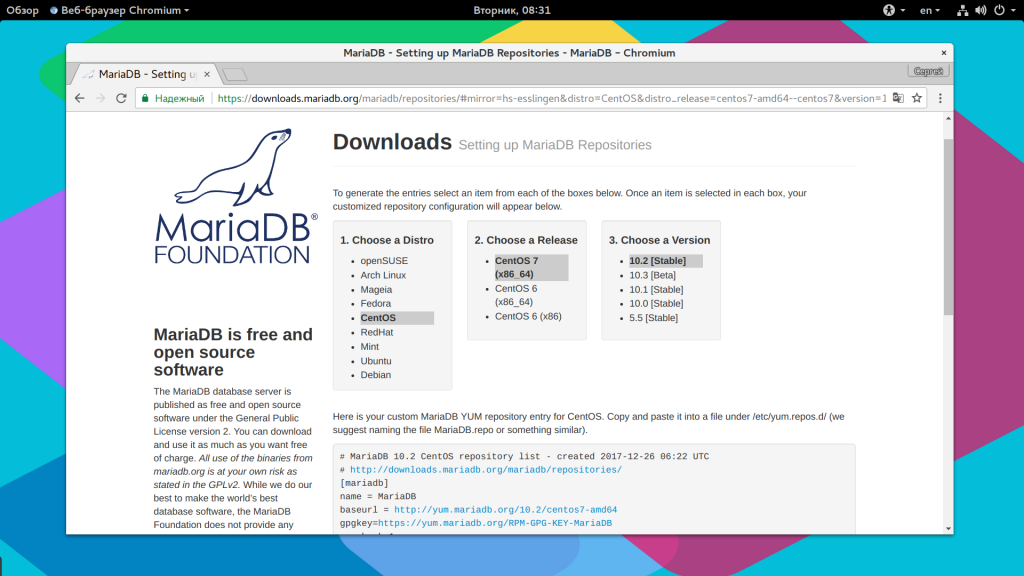
Затем, внизу появится код, который нужно вставить в файл /etc/yum.repos.d/Mariadb.repo:
sudo vi /etc/yum.repos.d/Mariadb.repo
# MariaDB 10.2 CentOS repository list — created 2017-12-26 06:22 UTC # http://downloads.mariadb.org/mariadb/repositories/ [mariadb] name = MariaDB baseurl = http://yum.mariadb.org/10.2/centos7-amd64 gpgkey=https://yum.mariadb.org/RPM-GPG-KEY-MariaDB gpgcheck=1
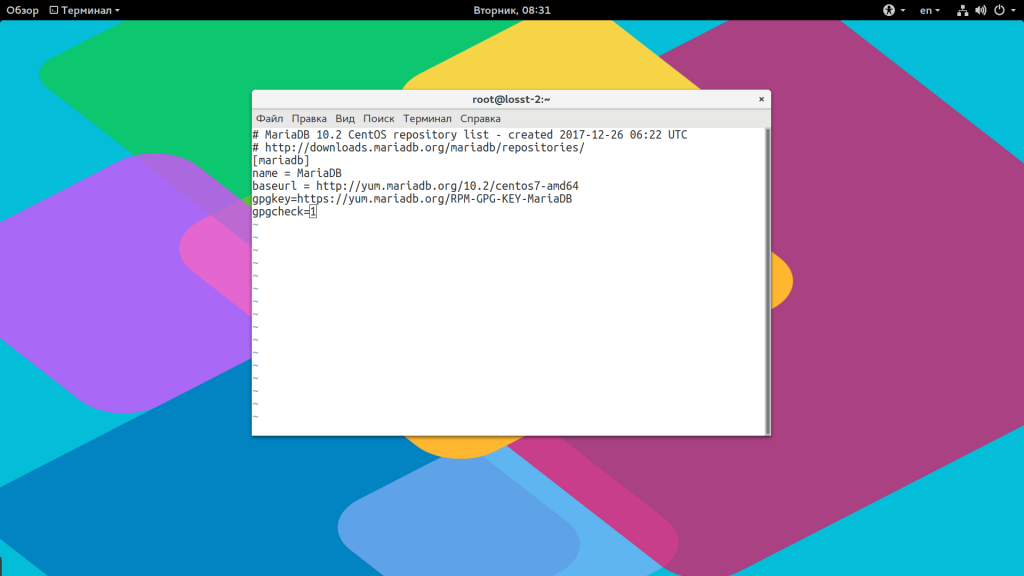
Если установлена старая версия MariaDB — остановите ее:
sudo systemctl stop mariadb
Затем обновите список пакетов:
sudo yum update
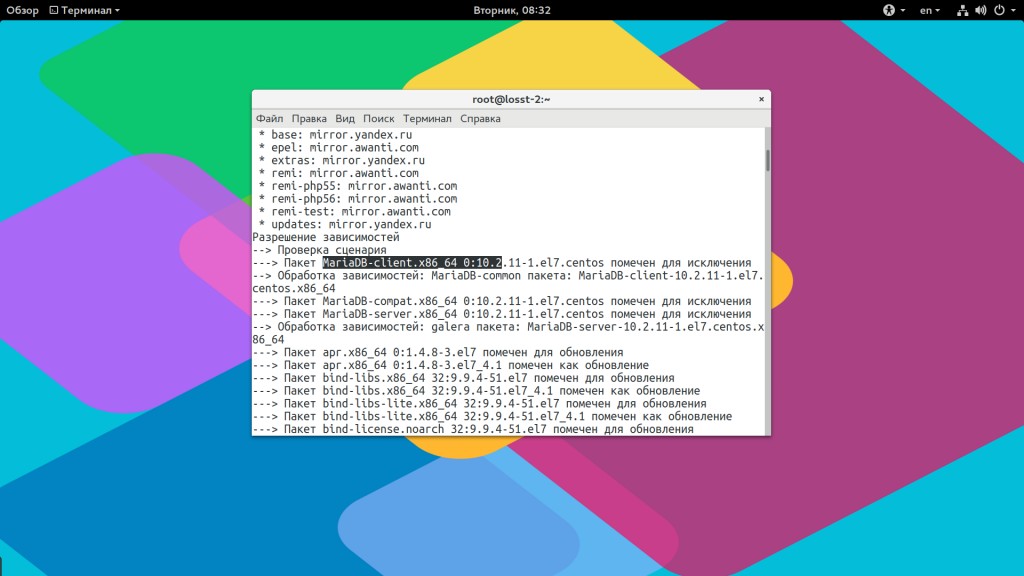
Если в вашей системе уже установлена более старая версия, то обновление будет выполнено автоматически. Или установка mariadb centos 7:
sudo yum install MariaDB-server MariaDB-client
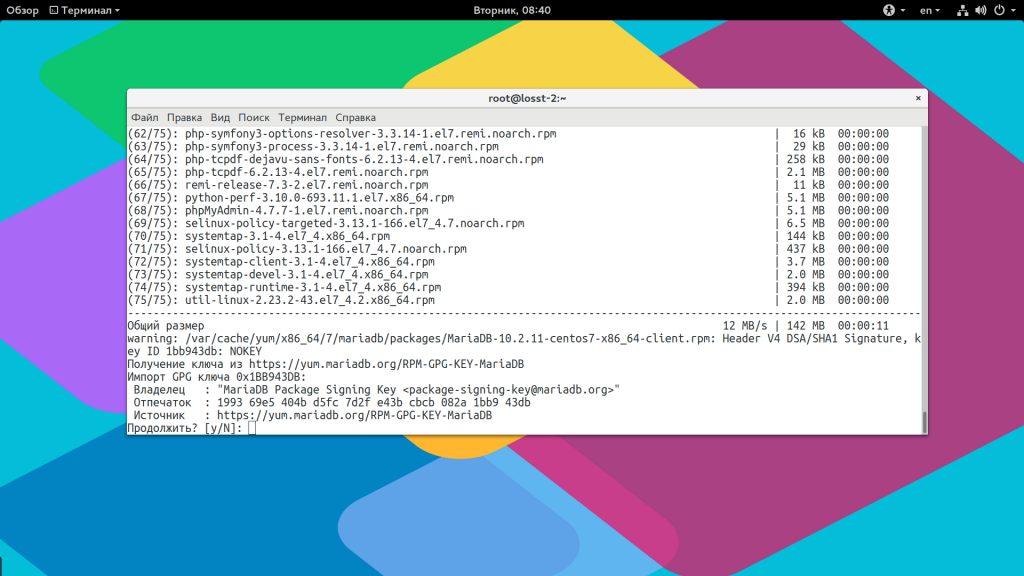
Во время установки вам придется принять ключ GPG для репозитория MariaDB.
Настройка MariaDB
Установка завершена, и теперь нам предстоит заняться настройкой программы. Сначала запустите сервис:
sudo systemctl start mariadb
Если вы получаете ошибку, что файл /usr/libexec/mariadb-prepare-db-dir не существует, то выполните команду:
Это вызвано тем, что вы изменяли стандартный unit файл systemd и из-за этого он не был заменен на новый, когда мы удаляем этот файл вместо него подтягивается новый и все будет работать. Если у вас уже была раньше установлена версия MariaDB, то нужно запустить команду mysql_upgrade чтобы обновить все существующие таблицы:
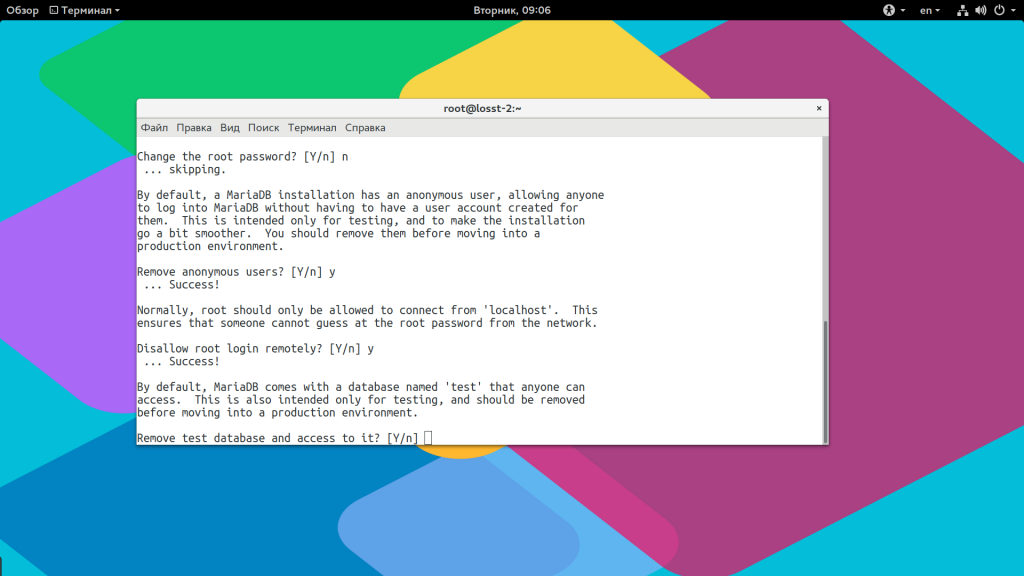
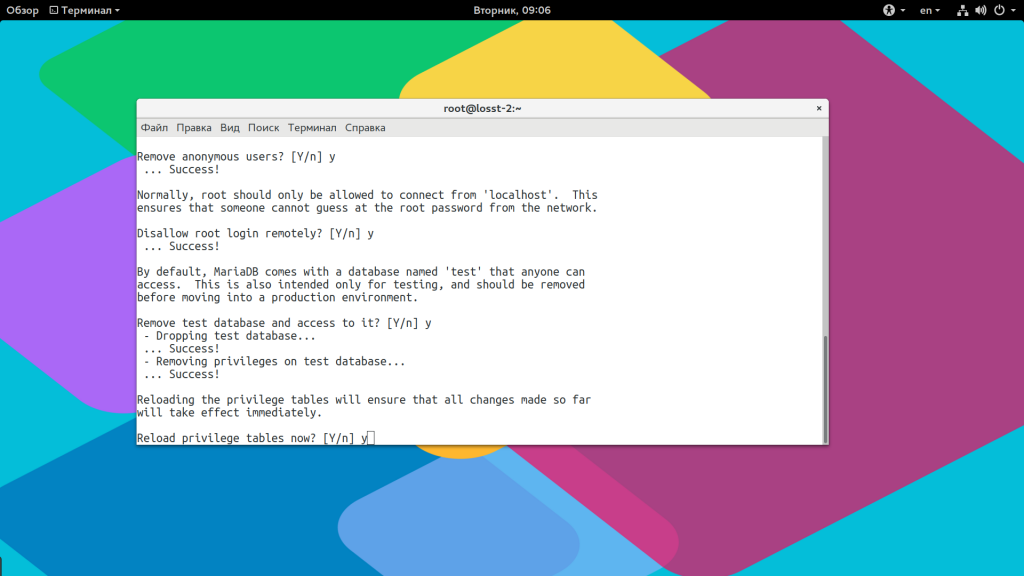
На этом база будет готова. Если же это новая установка, то нужно выполнить скрипт mysql_secure_installation чтобы защитить базу данных от злоумышленников:
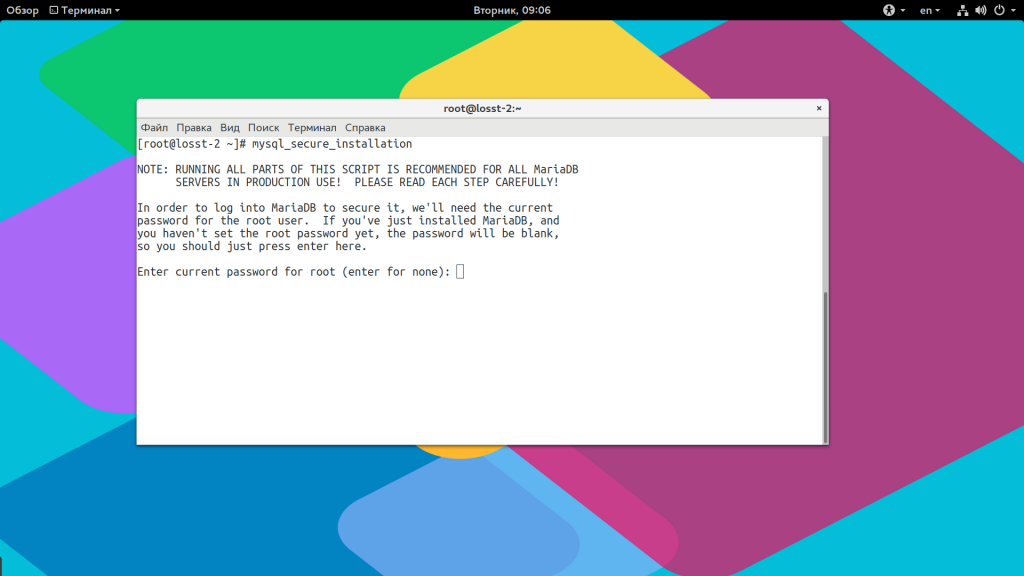
На первом шаге вам нужно задать пароль root, по умолчанию пароль не задан:
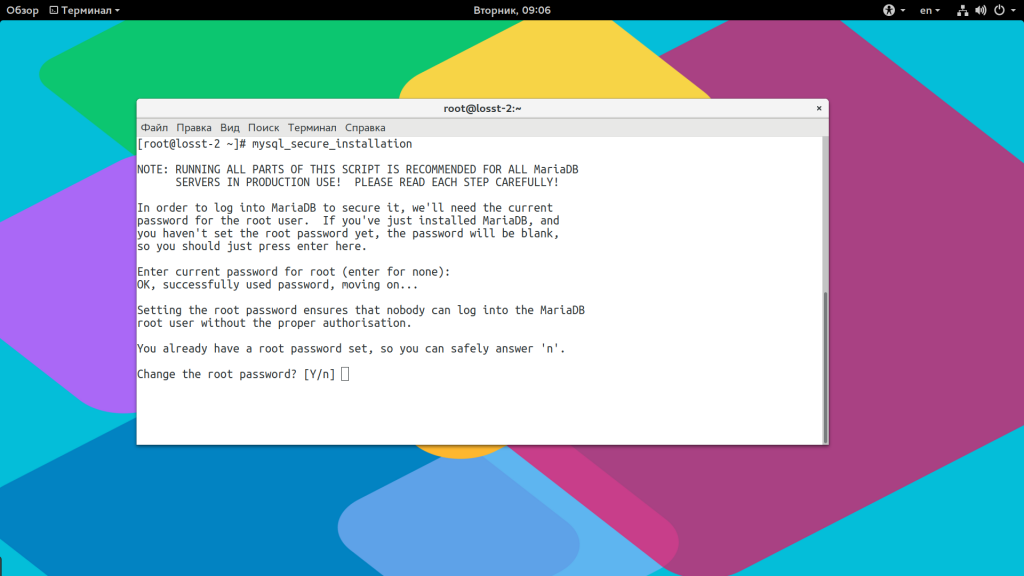
Затем удалите анонимных пользователей:
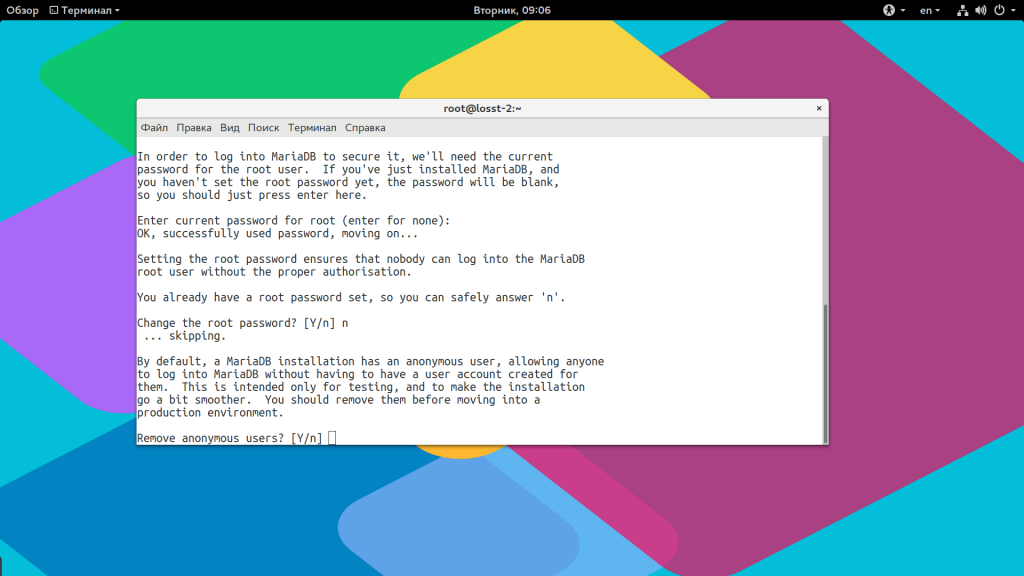
Запретите удаленный вход для root:
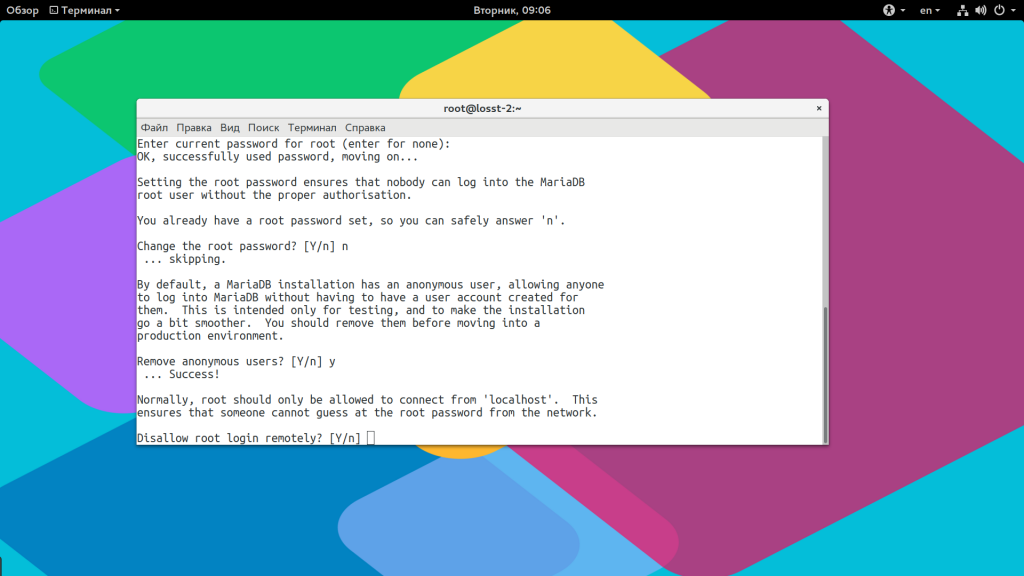
Удалите тестовую базу данных и обновите таблицу привилегий:
Создание базы данных MariaDB
Последнее, что нам осталось — это создать базу данных и пользователя, которые вы сможете использовать. Для подключения к базе используйте команду mysql:
Создайте базу данных:
mysql> CREATE DATABASE first-database; mysql> CREATE USER ‘dbuser’@’localhost’ identified by ‘password’; mysql> GRANT ALL ON first-database.* TO dbuser’ IDENTIFIED ‘password’; mysql> FLUSH PRIVILEGES;
Теперь вы можете подключится от имени этого пользователя через терминал или используя Phpmyadmin:
mysql -u dbuser -p
Настройка mariadb CentOS 7 завершена.
Удаление MariaDB
Если вы хотите удалить самую новую версию и вернуться к более старой, из официальных репозиториев — вам нужно сначала удалить файл репозитория:
sudo rm /etc/yum.repos.d/Mariadb.repo
Затем выполнить обновление системы:
sudo yum update
Или же вы можете полностью удалить MariaDB, но в таком случае будет удалена база данных из /var/lib/mysql, а значит вы потеряете все данные, которые там были:
sudo yum remove MariaDB-server MariaDB-client
Выводы
В этой небольшой статье мы рассмотрели как установить mariadb centos 7 из репозитория разработчиков. Вы можете получить самую новую, а значит самую быструю версию программы со всеми новыми возможностями. Если у вас остались вопросы, спрашивайте в комментариях!
Installing MariaDB with RPM instead of yum (on CentOS7)
Having troubles installing MariaDB with yum on your CentOS7 server? I feel your pain. I struggled for hours, even days, before I finally decided to focus on the target, rather than on the method. I hope I can help someone by jotting down how I managed to make it work.
If you’re like me, you’ve followed the MariaDB docs and created a MariaDB.repo file (you’ve also tried without caps) and entered sudo yum install mariadb-server , getting the no package mariadb-server available error. Then you’d of course sudo yum clean all with sudo rm -rf /var/cache/yum/ and so on, but without success. You’re still getting the same darn message telling you there’s no package available.
With half of your hair already grayed out, you are thinking “Should I find a system engineer on Upwork to get the task done? Seriously? It’s just installing MariaDB on my server. Besides, I don’t like anyone having access to my server, definitely no root access.”
Lucky for us, there’s another option. Although MariaDB recommends yum, I got the job done using RPM. Assuming you managed to delete every mysql/mariadb installs on your server, here’s how:
- This manual has got everything you need to know: https://mariadb.com/kb/en/library/installing-mariadb-with-the-rpm-tool/
- You may also read on and follow the steps I took. I chose my version of the package here: https://downloads.mariadb.org/ (in my case, I chose the 10.3.8 stable version https://downloads.mariadb.org/mariadb/10.3.8/, which doesn’t download the files as expected, but takes you to a new page where you can choose your version one more time.
- Here I selected ‘RPM package’ on the right, because that’s what we’re looking for. Only one option remains and it’s this one: https://downloads.mariadb.org/interstitial/mariadb-10.3.8/yum//from/http%3A//mariadb.cu.be/?file=6433.
- Ok, choices, choices, again. Well, choose your distribution. In my case, it’s CentOS7-amd64. The hostnamectl command is what you need: it’ll print out some need-to-knows about your environment. Choose the folder /rpms and there we are.
- As the docs say, you need at minimum 3 packages: <name-of-the-distro>-client.rpm, <name-of-the-distro>-server.rpm and <name-of-the-distro>-shared.rpm, but while installing these I learned that I also need <name-of-the-distro>-common.rpm and <name-of-the-distro>-compat.rpm.
- Downloading the files locally and upload them via scp to your server:
scp /path/to/the/files your_user@your_server:/server/path/foo - Login to your server. Make sure your user can sudo (you know how to do that, don’t you?). Go to the folder where you’ve uploaded the files to (cd /server/path/foo) and use this command to install the uploaded files:
rpm -ivh MariaDB-* (i = install, v = verbose, h = hash, see https://stackoverflow.com/a/27794125/2043134) - The install process should start and finish by saying to not forget to make the necessary security arrangements (e.g. the mysql_secure_installation command).
- But: first things, first: sudo systemctl enable mariadb and sudo systemctl start mariadb . Enabling means making sure it’ll start on boot next time (according to this great answer).
- Finally, run mysql_secure_installation and follow the instructions. For production use, I advise you to answer yes to all.
After this I was able to use mysql (mariadb). Come to think about it: I was still getting an error in DirectAdmin: Error connecting to MySQL: Access denied for user: ‘da_admin@localhost’ (Using password: YES) . This handy script helped me out.
I hope this post can help you sort out how to install MariaDB on CentOS7 (or any other OS) with RPM more quickly than I was able to do it. Got any questions? I’ll do my best to answer them.